Ekaterininskaya
Appointments, medical records and consultations
About the project
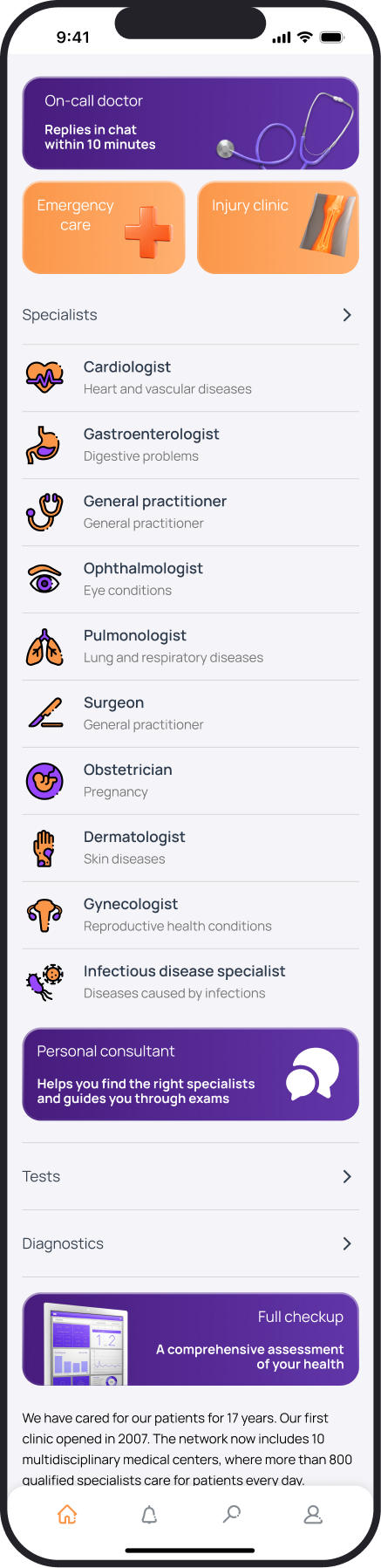
The clinic app brings together choosing a specialist and booking an appointment with access to documents and consultations afterwards. I designed the flows, interface and a local design system.
2024
Role
Product Designer
Scope
App structure, doctor selection and appointment booking flows, interface and local design system.
From choosing a doctor to booking a visit
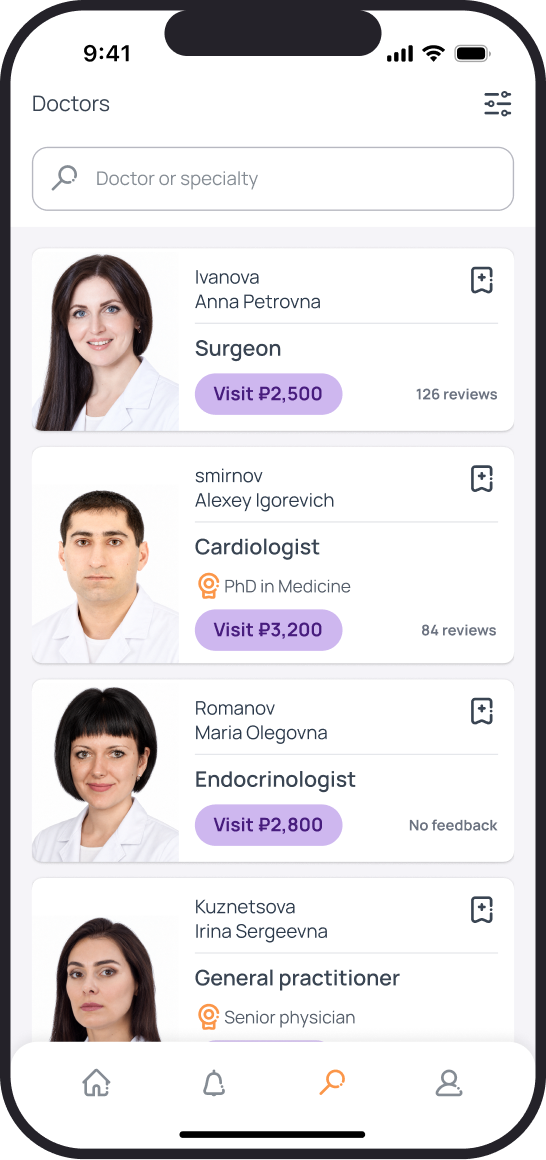
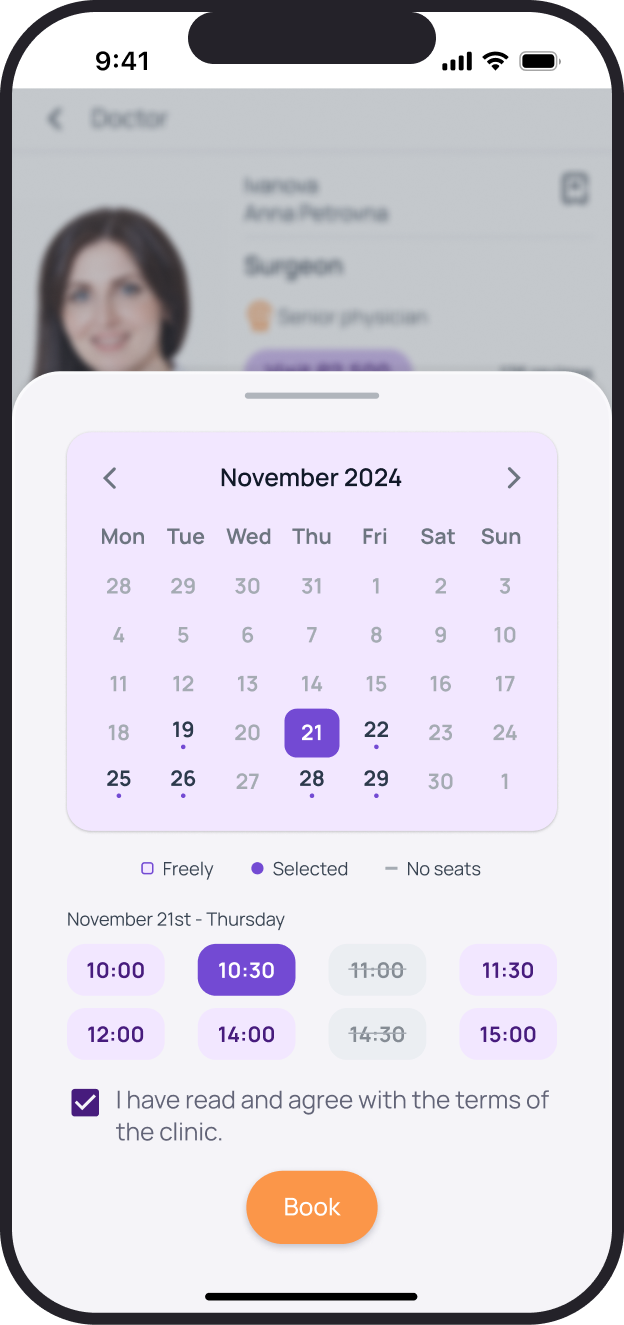
Patients choose a specialist, review their qualifications and consultation fee, then pick a date and time.
The challenge
Patients need access to the clinic before and after a visit: to choose a doctor, save appointment details, receive results and ask questions between visits.
My contribution
I was responsible for the app structure, core flows and interface. My work drew on research by the clinic's marketing department: phone and in-clinic interviews with 30 customers.
Core flows
Before a visit, the app helps patients choose a specialist and a time. Afterwards, they can return to appointments, documents and consultations.

App interface
Choosing a doctor
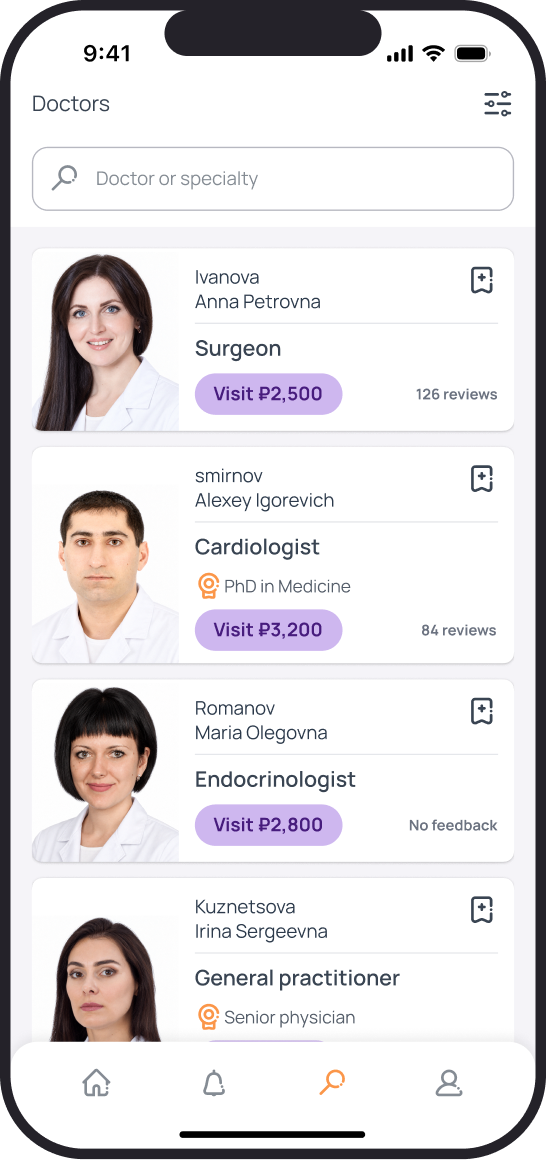
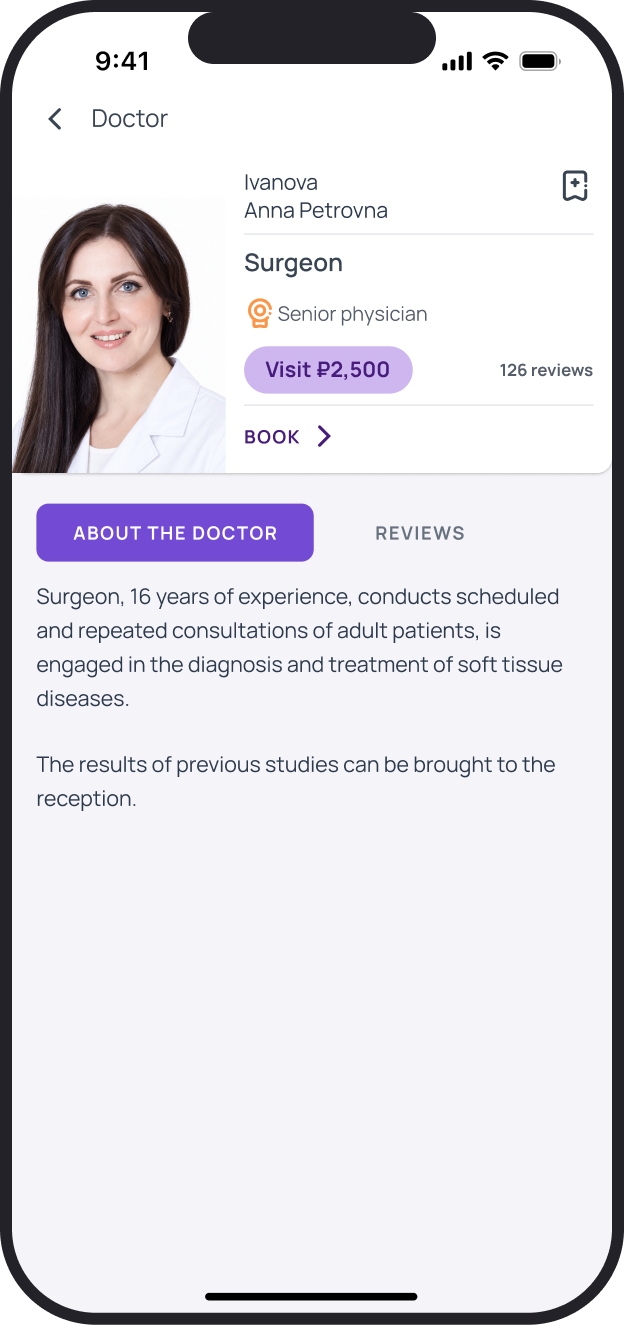
The list lets patients compare specialities, qualifications, consultation fees and reviews. A doctor's profile explains their experience and leads to date and time selection.
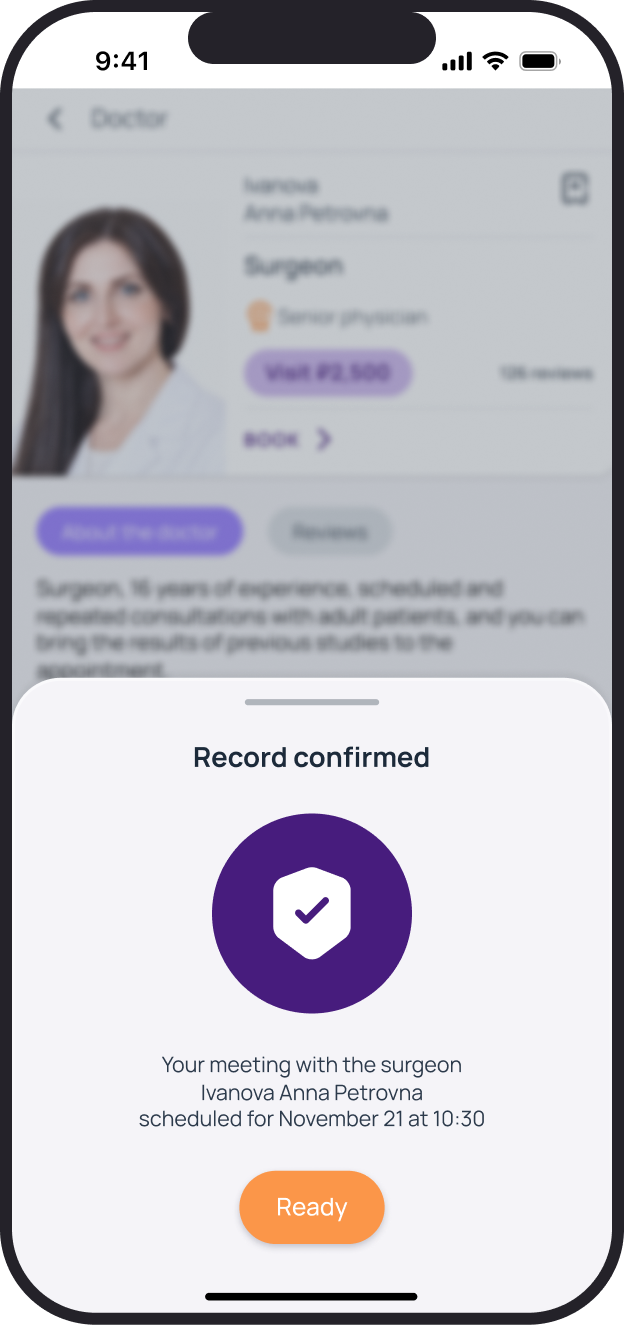
Booking an appointment
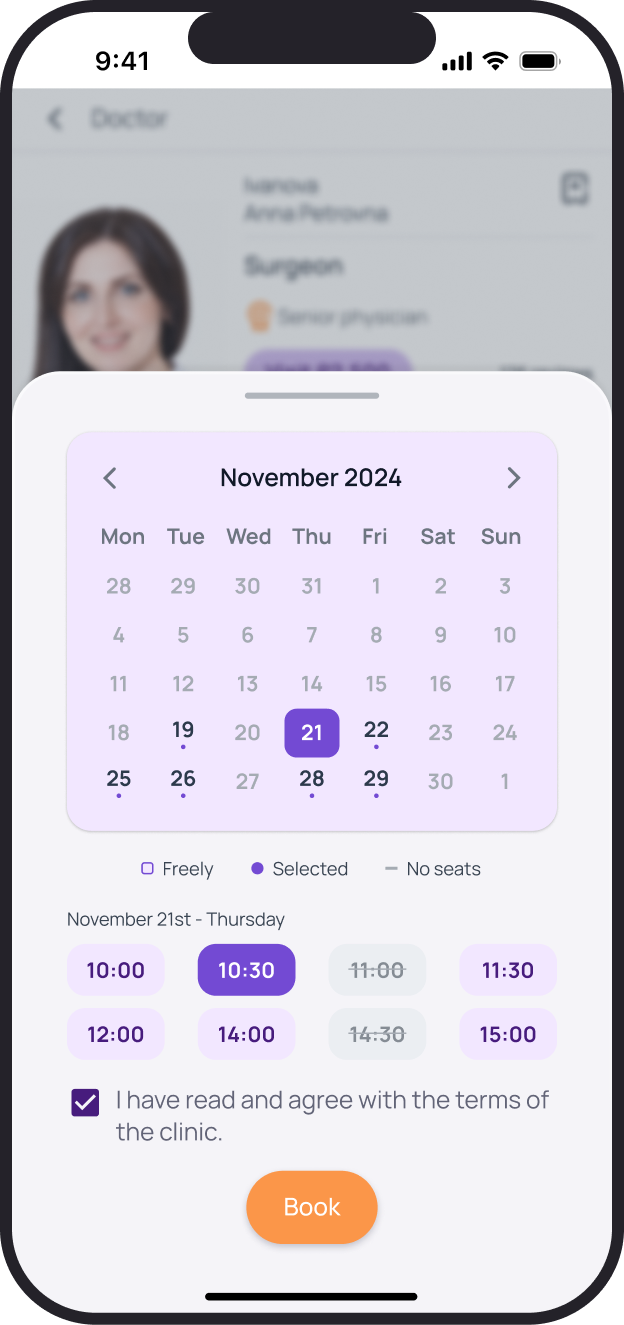
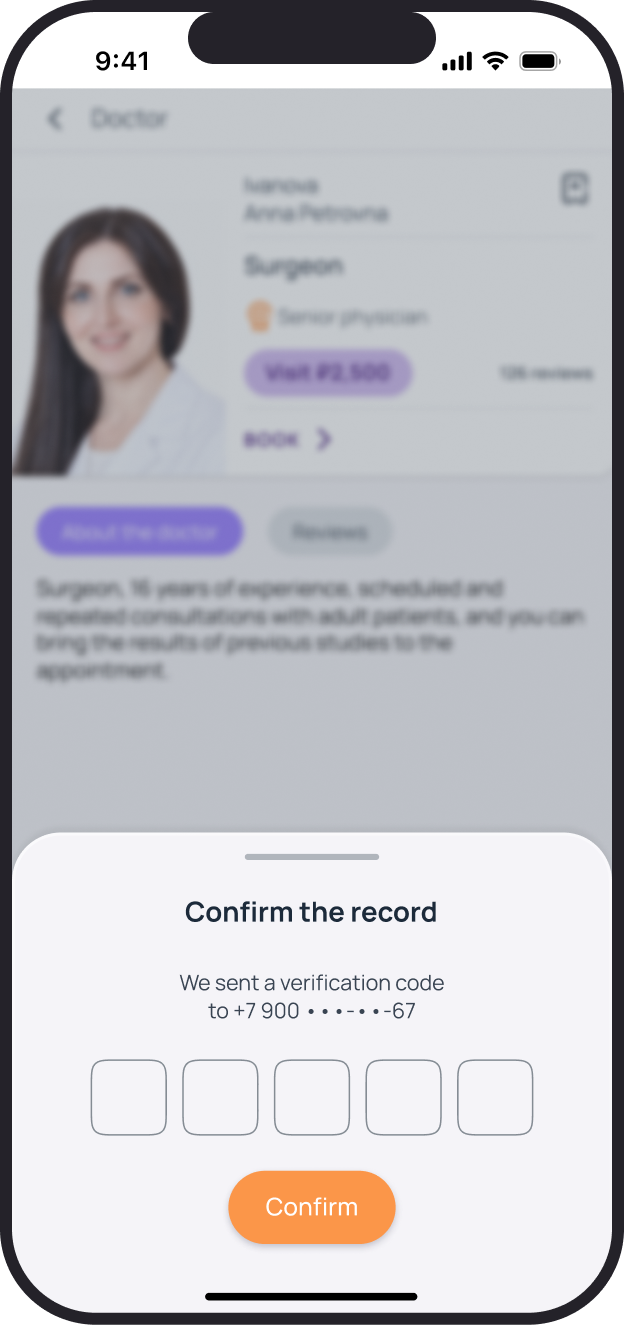
Date, time, code verification and confirmation are stages within one panel. The doctor's profile stays in the background, and the selected time is preserved between steps.
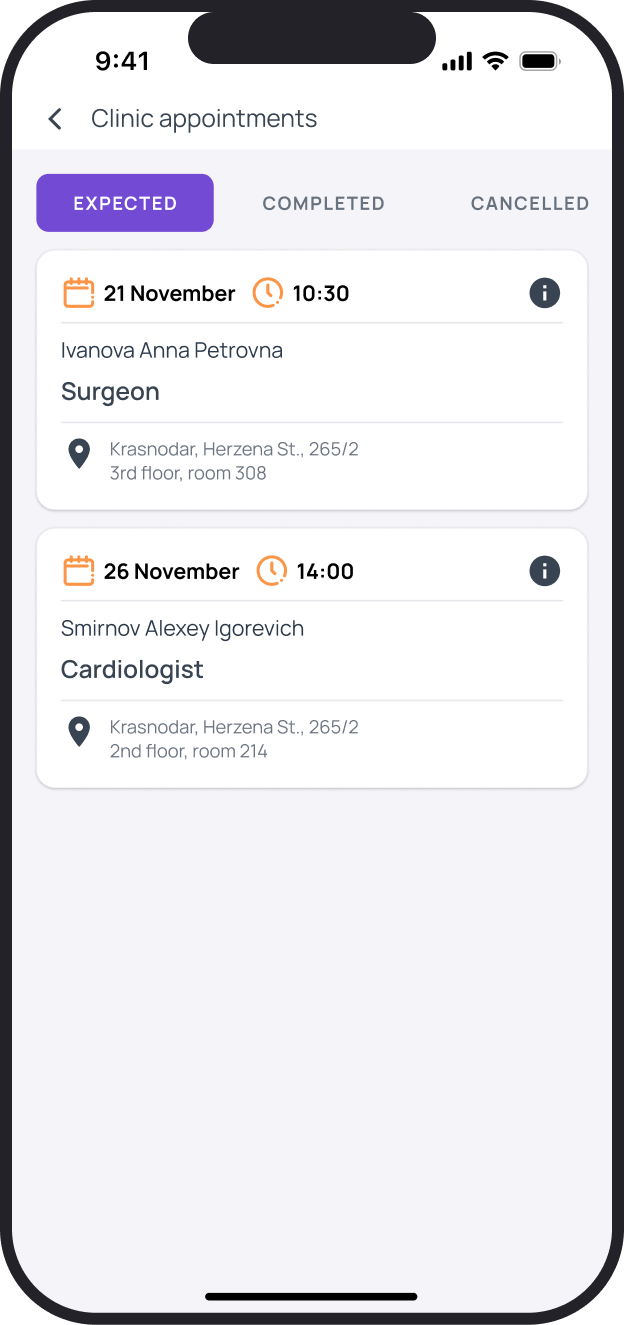
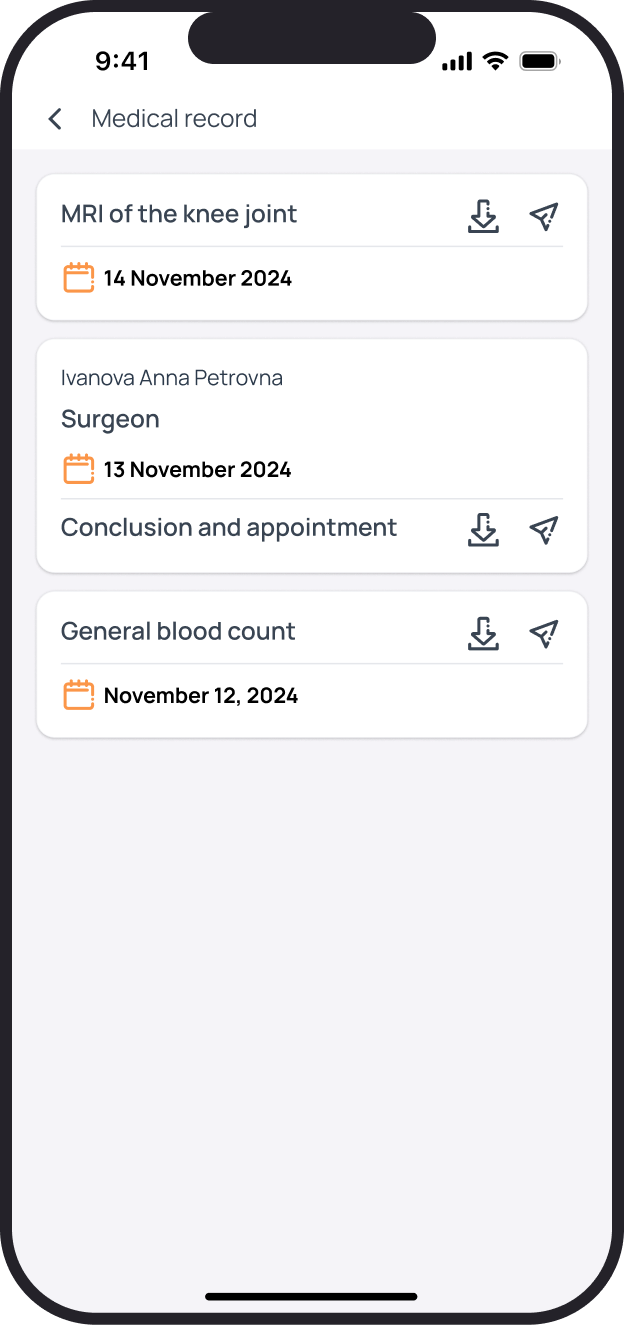
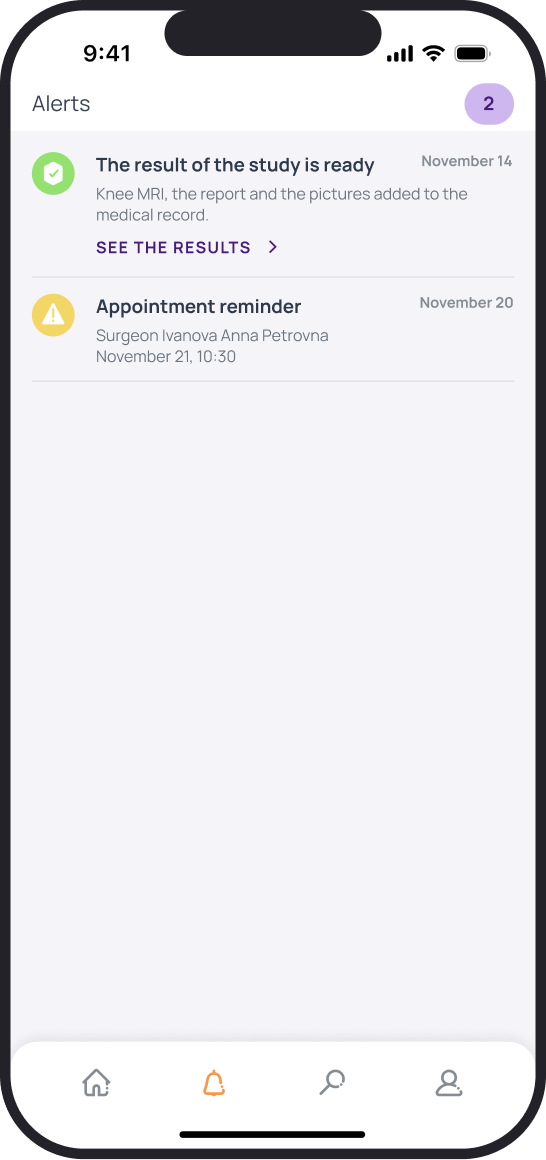
Appointments and medical records
Each appointment stores the date, address and doctor. Results and reports are collected in medical records; notifications highlight a new document or upcoming appointment.
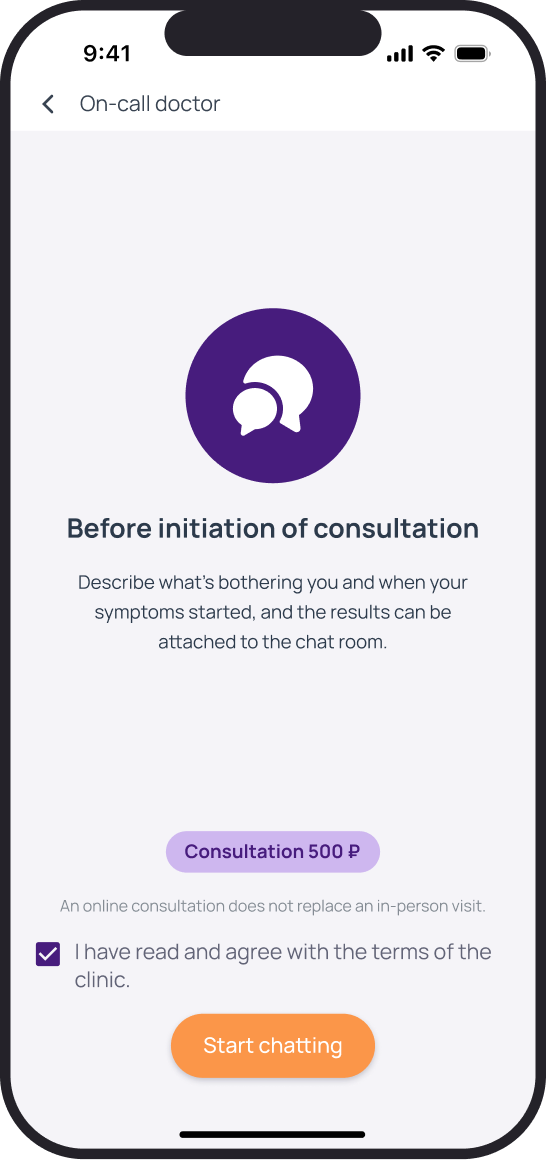
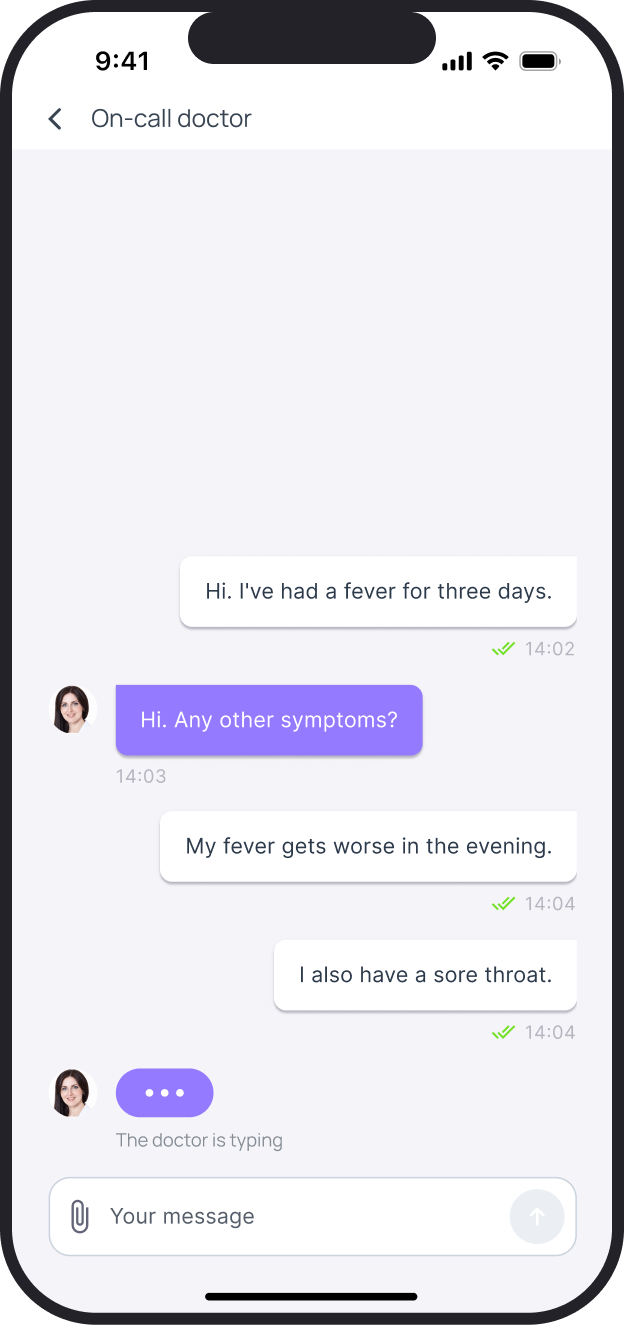
Contacting the on-duty physician
Fees and terms are shown before the consultation starts. The chat displays the doctor's messages and delivery statuses; short replies take only the space their text needs.
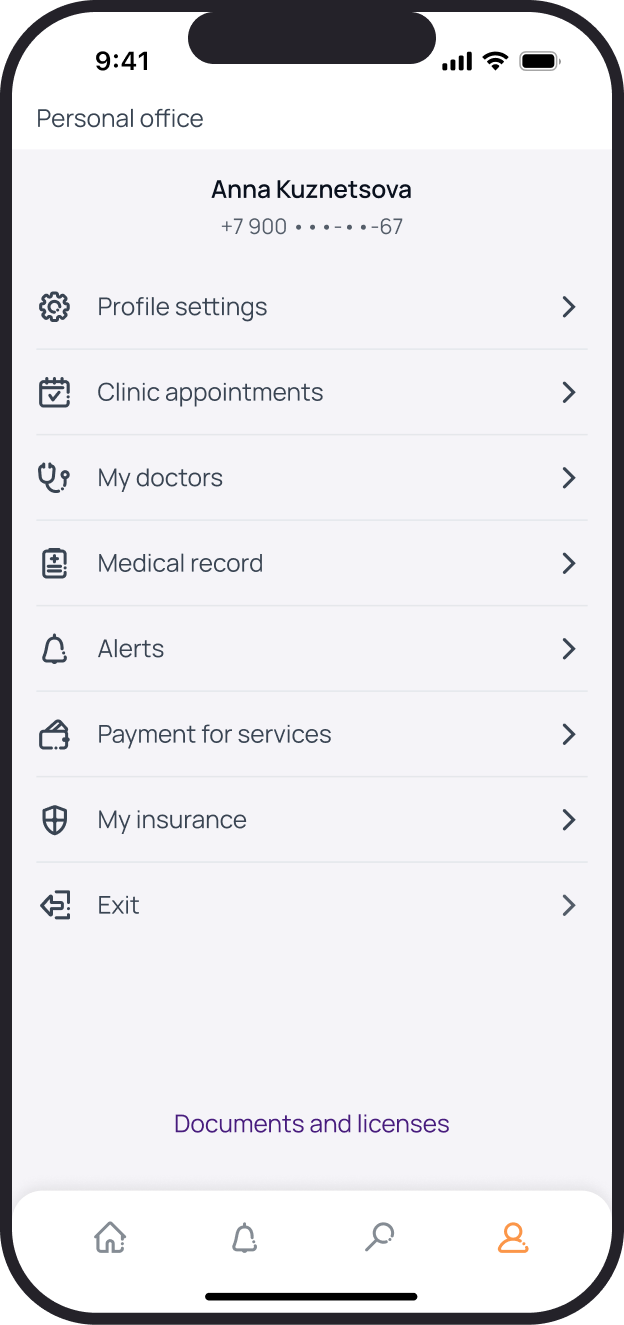
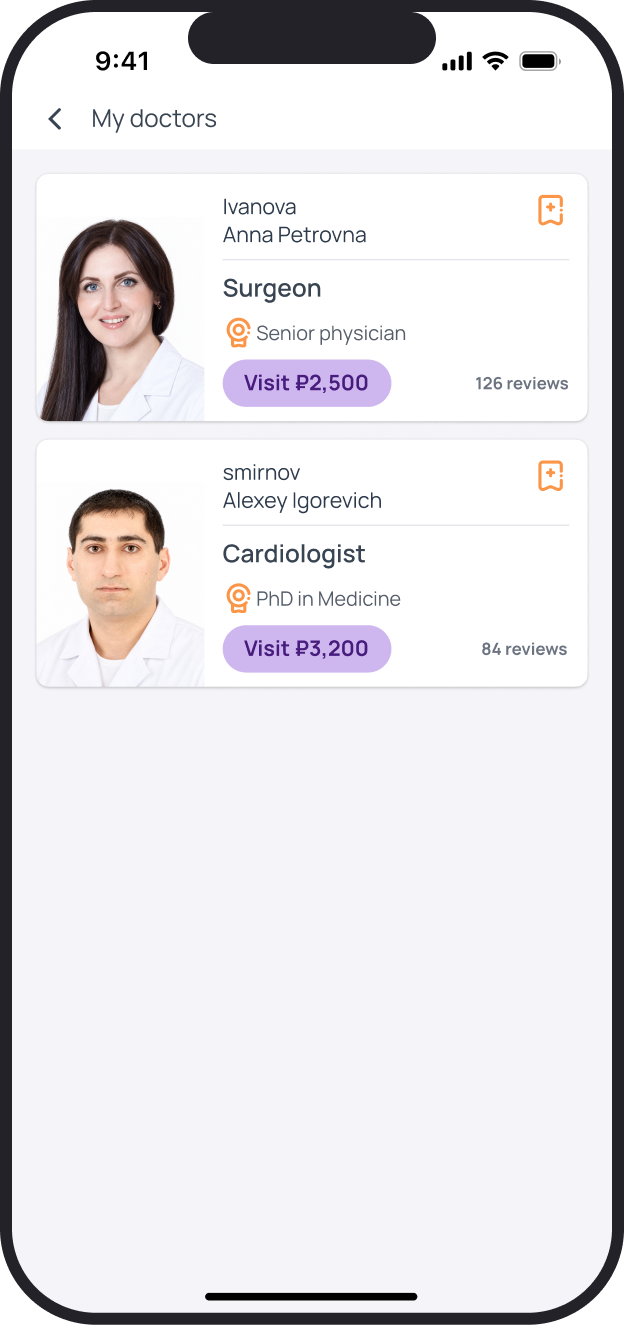
Profile and saved doctors
The account brings together appointments, documents and payments. Patients can return to a saved specialist from a dedicated list without starting a new search.
Registration and patient details
Account creation, phone verification and patient details are split into short steps. Fields have labels, error states and unavailable states.
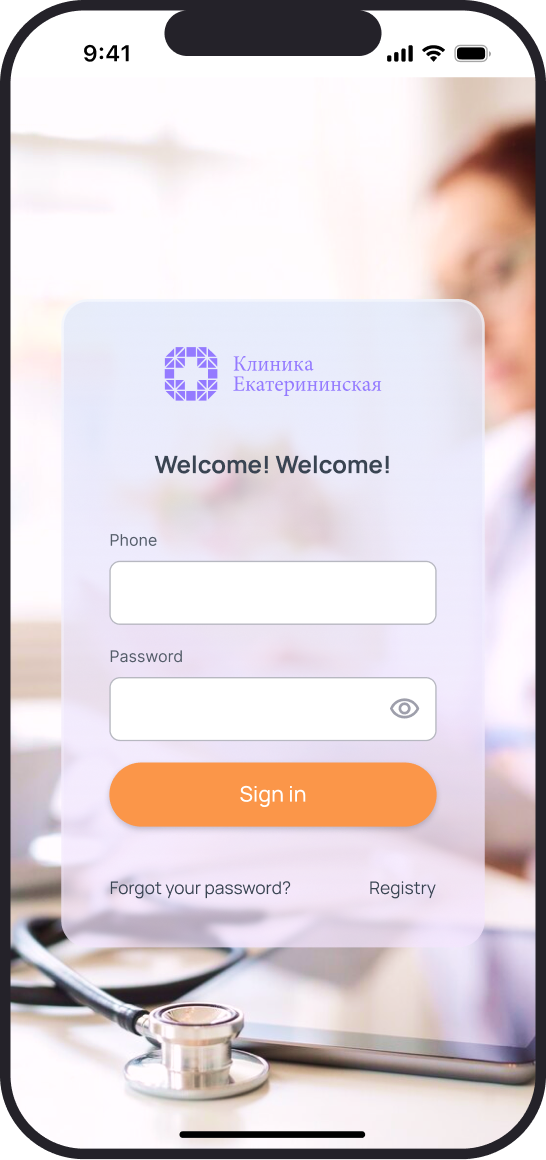
Sign in
Phone number and password
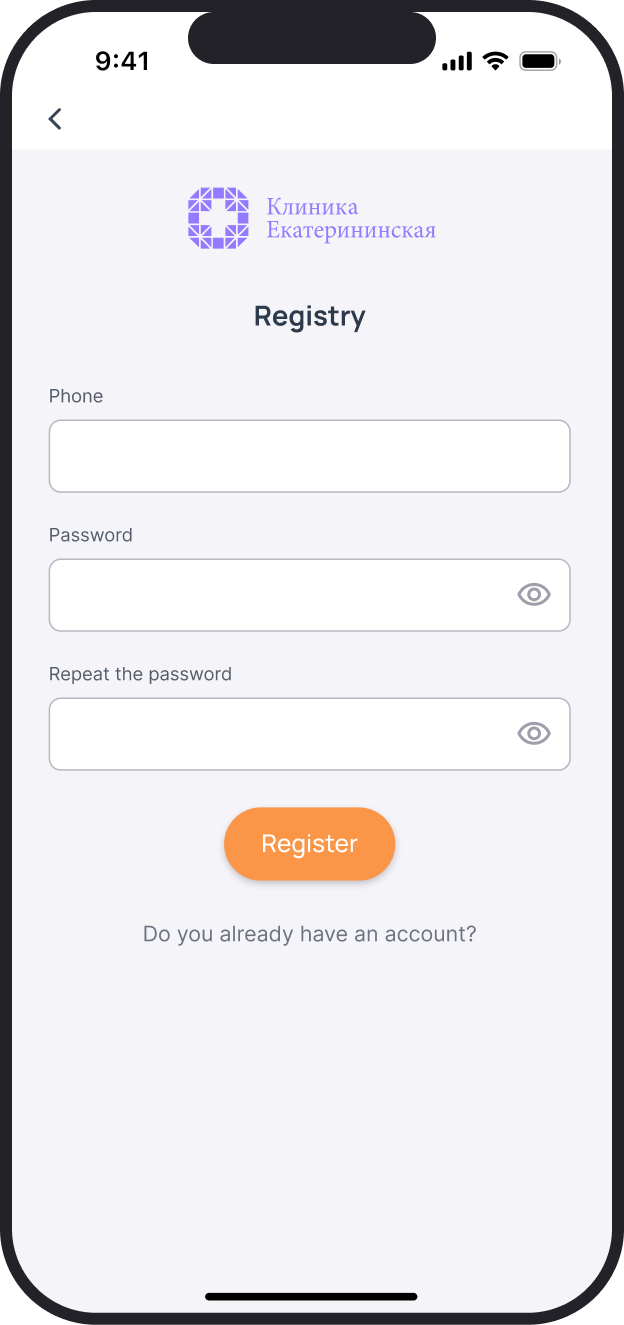
Registration
Create an account
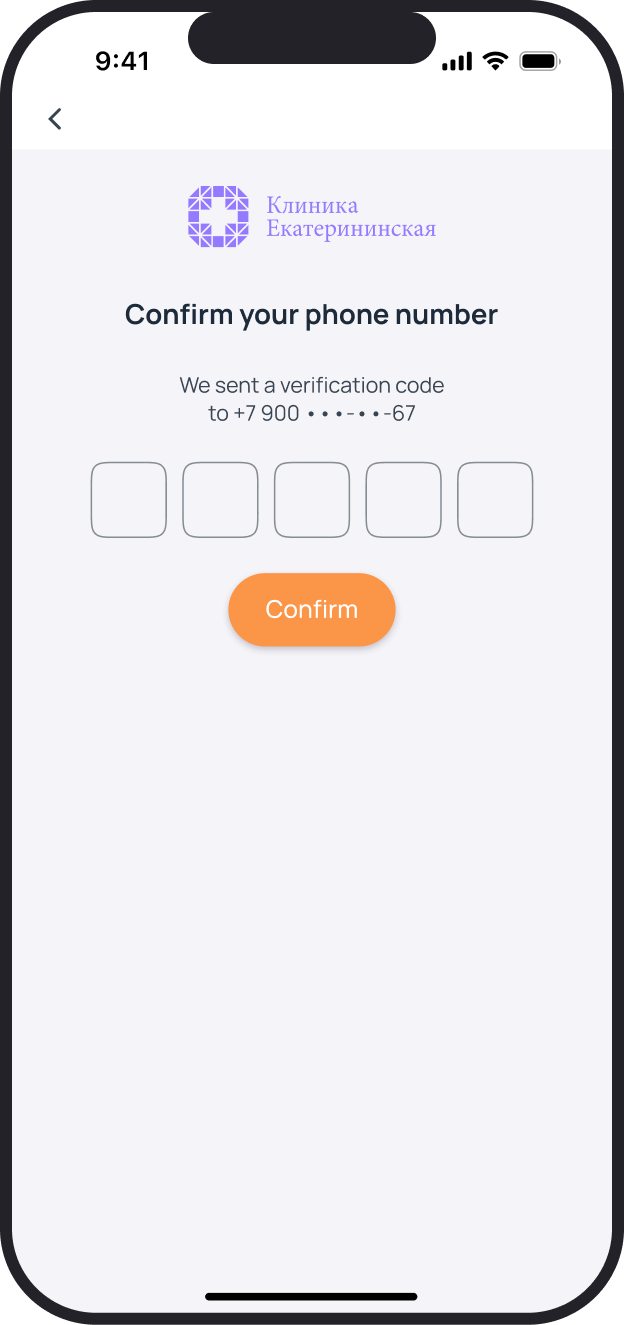
Phone verification
Code from a message
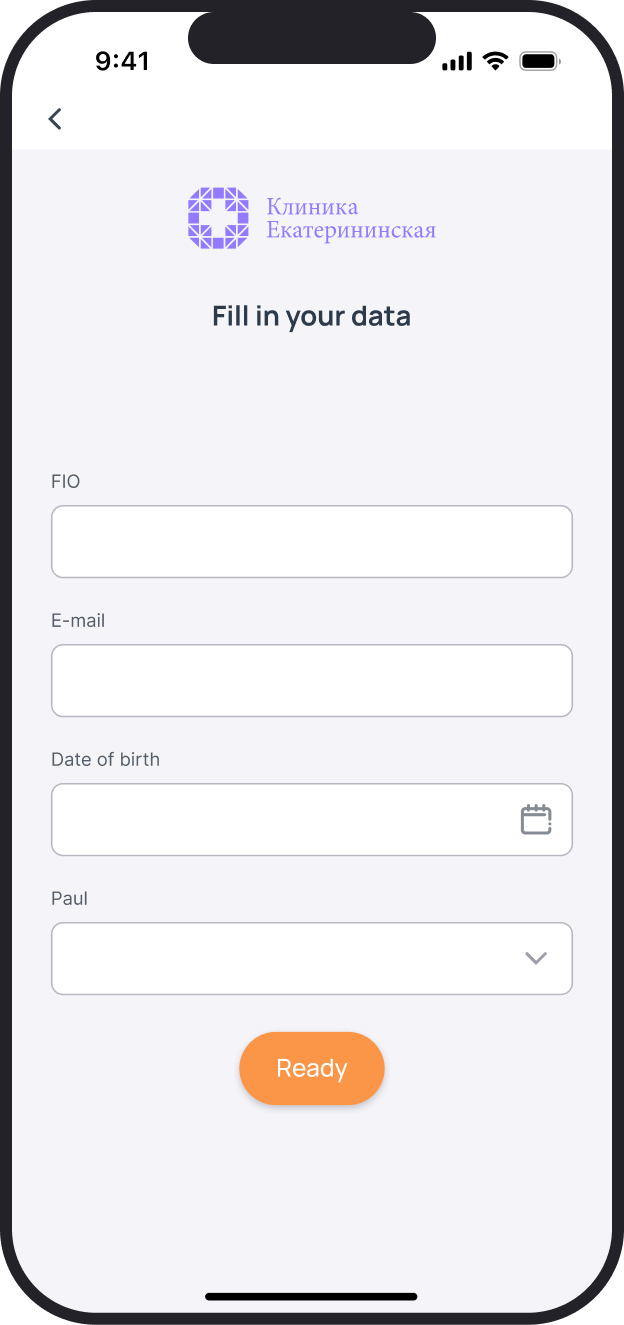
Patient details
Complete the profile
Paying for services
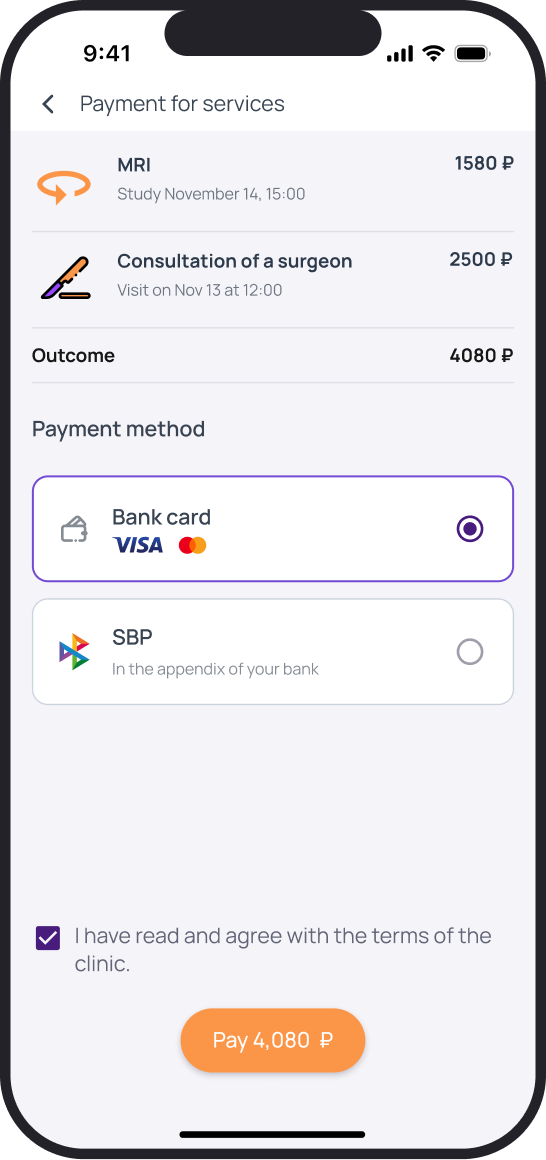
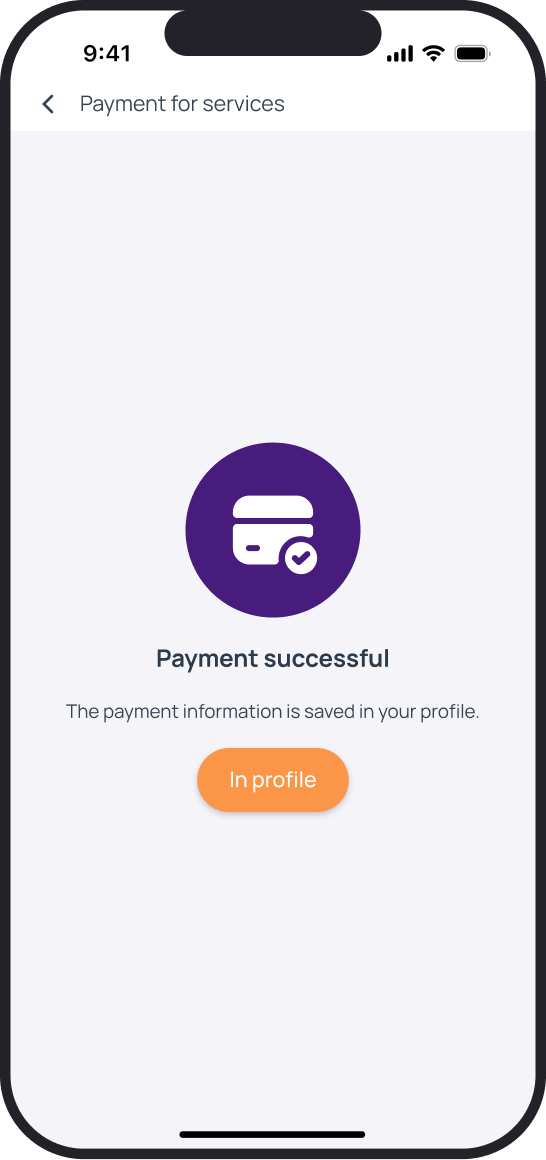
Patients choose a payment method and proceed to a payment provider. On returning, the app shows the result; card details are not entered in this interface.
Designing interface states
Loading, empty lists, errors and unknown outcomes need different messages and next steps. These states are presented alongside the core flows.
No results or no connection
An empty result set suggests changing the search. A loading error preserves the query and offers a retry: each cause has a different way forward.
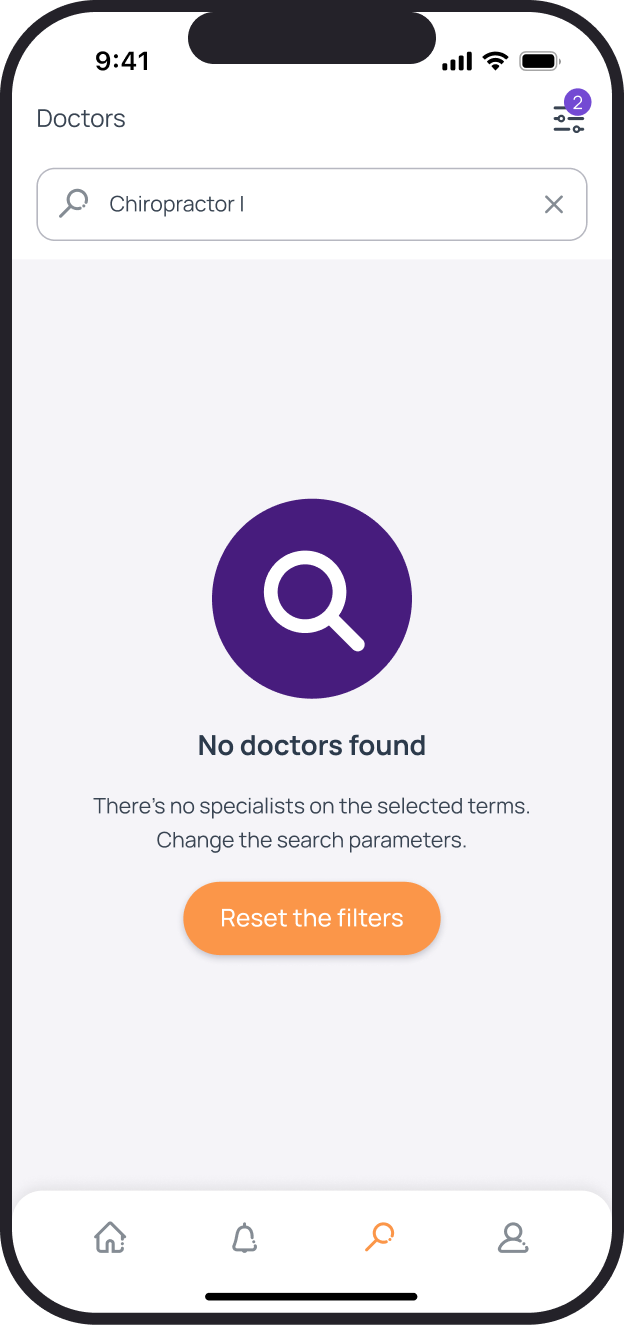
No search results
Suggestion to change the query
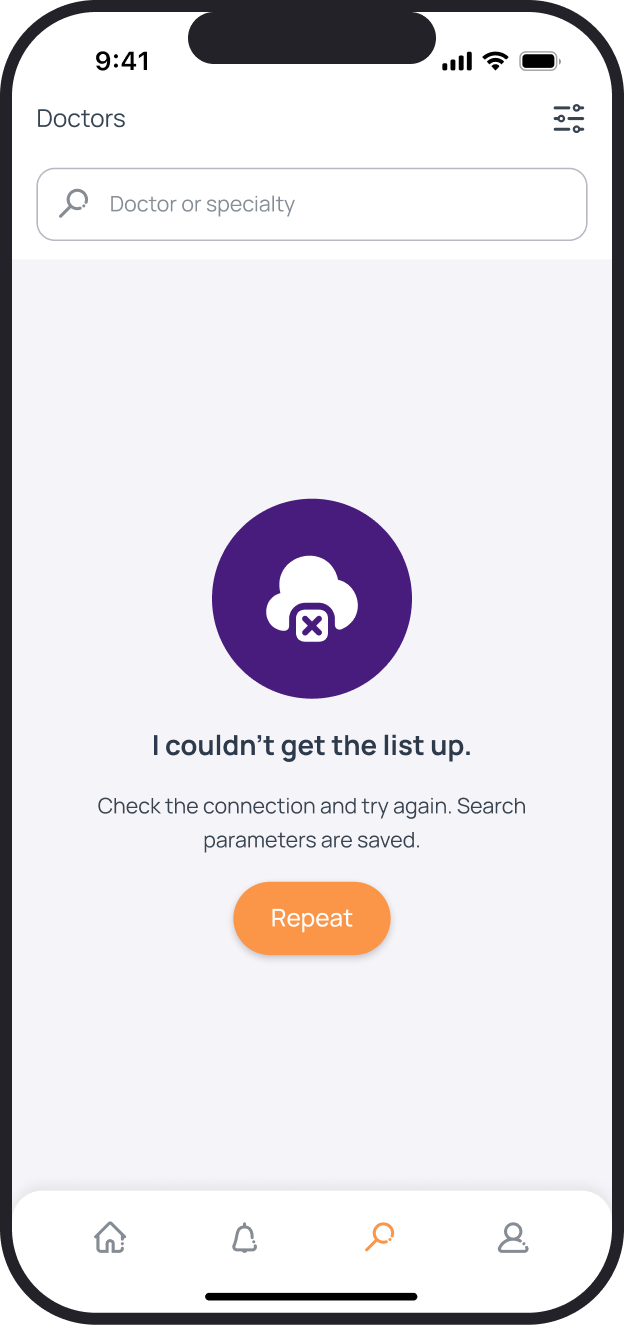
Could not load
Saved query and retry
Appointment verification
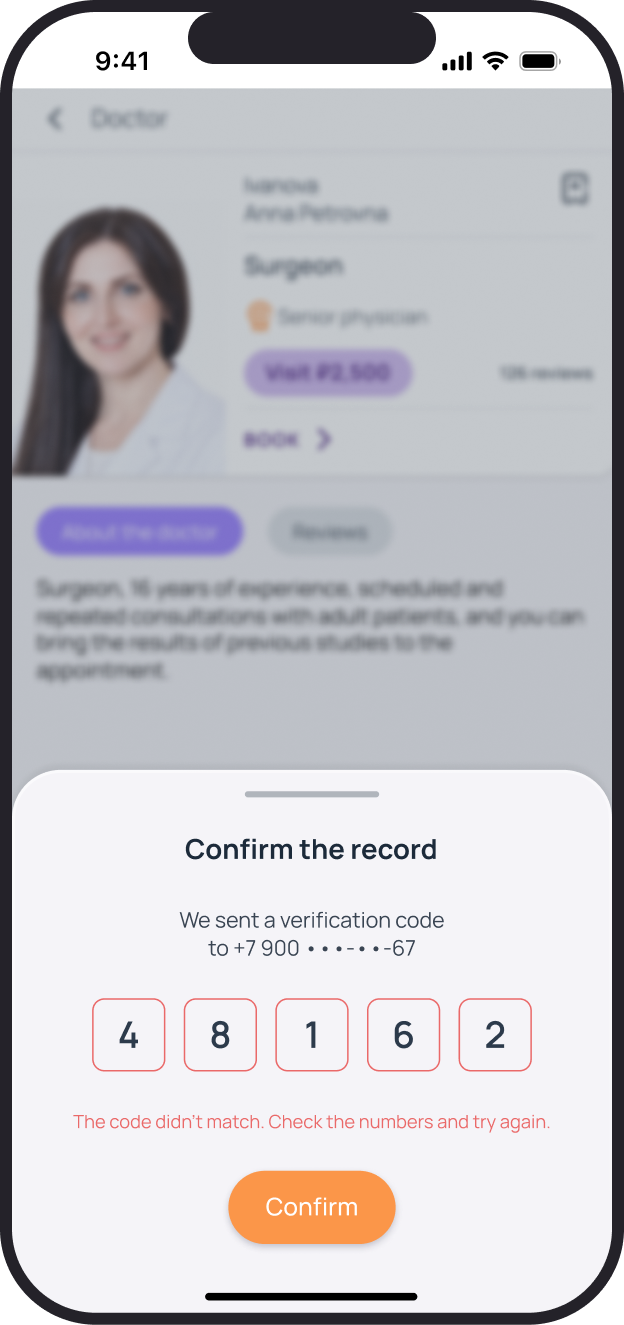
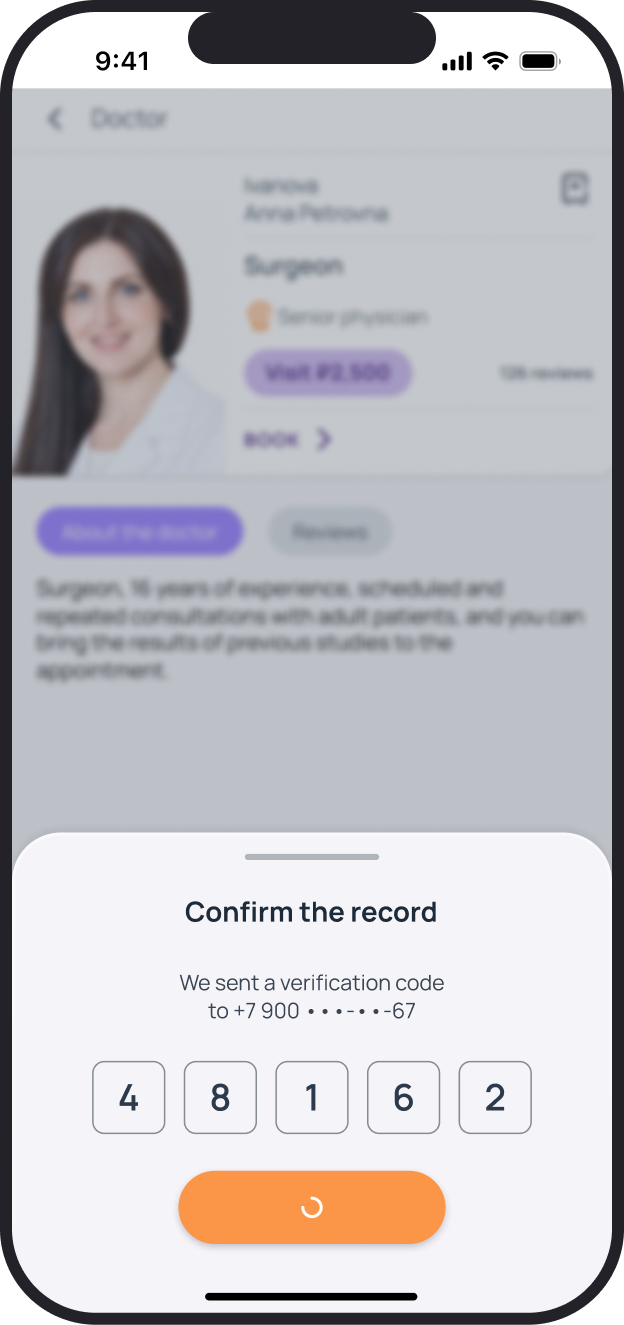
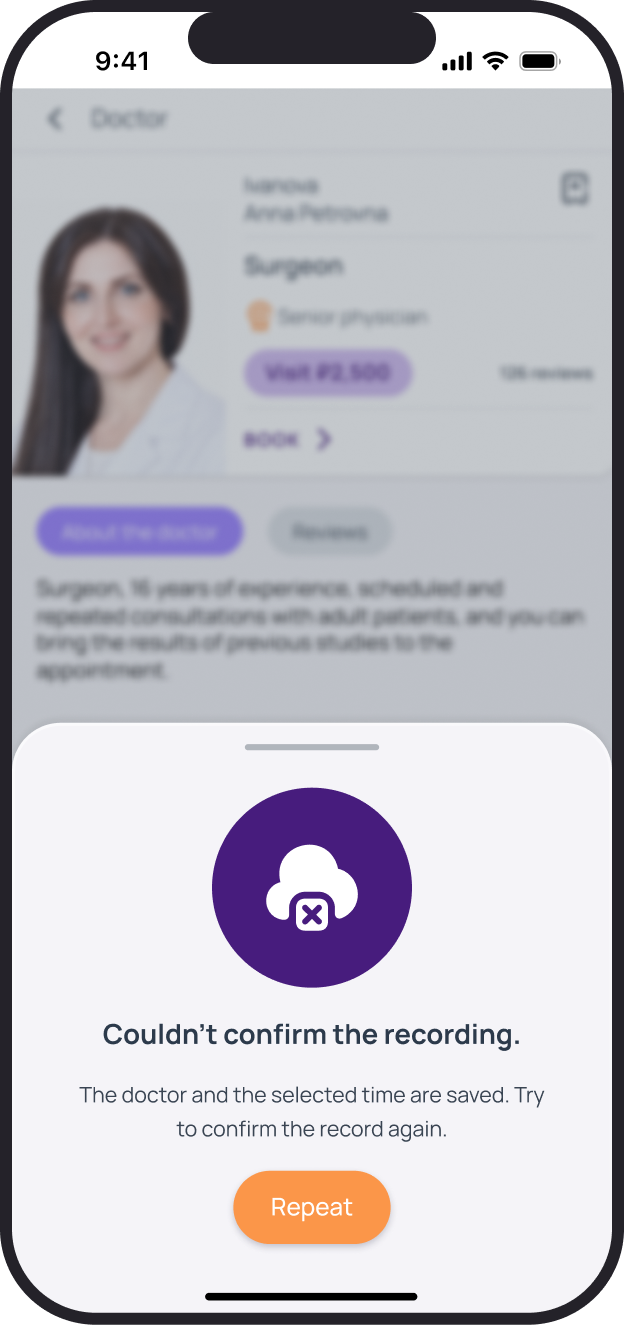
An incorrect code can be corrected. While a request is submitting, the action cannot be repeated. If it fails, the doctor and selected time remain in the panel's context.
Payment outcome
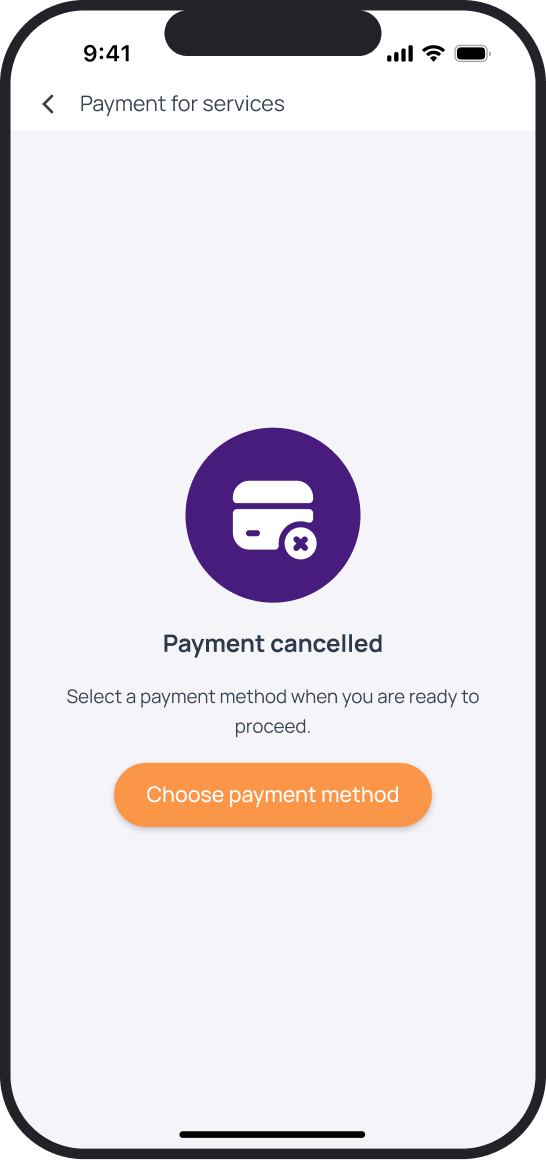
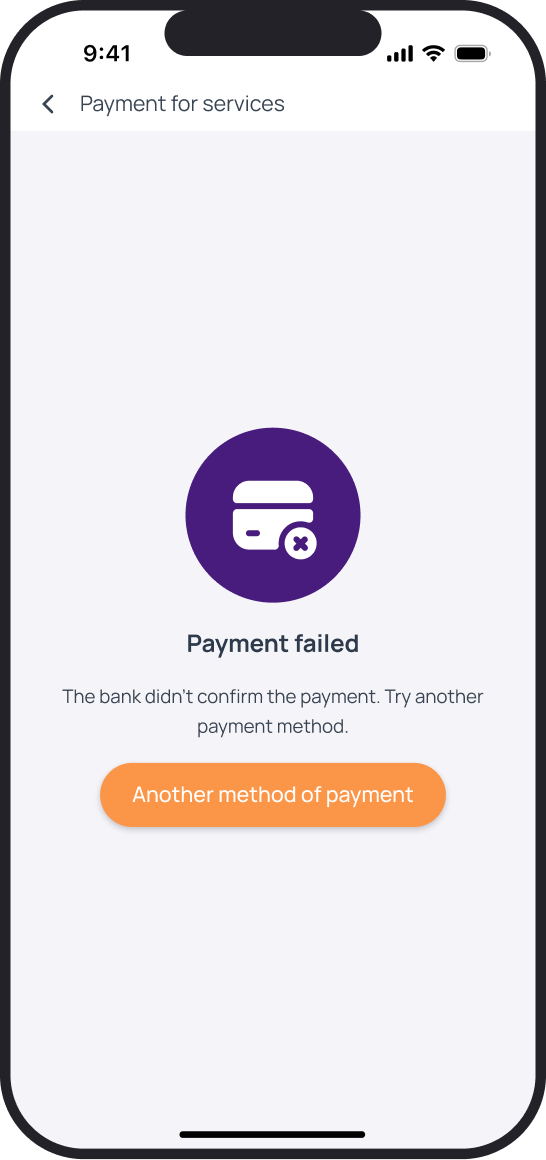
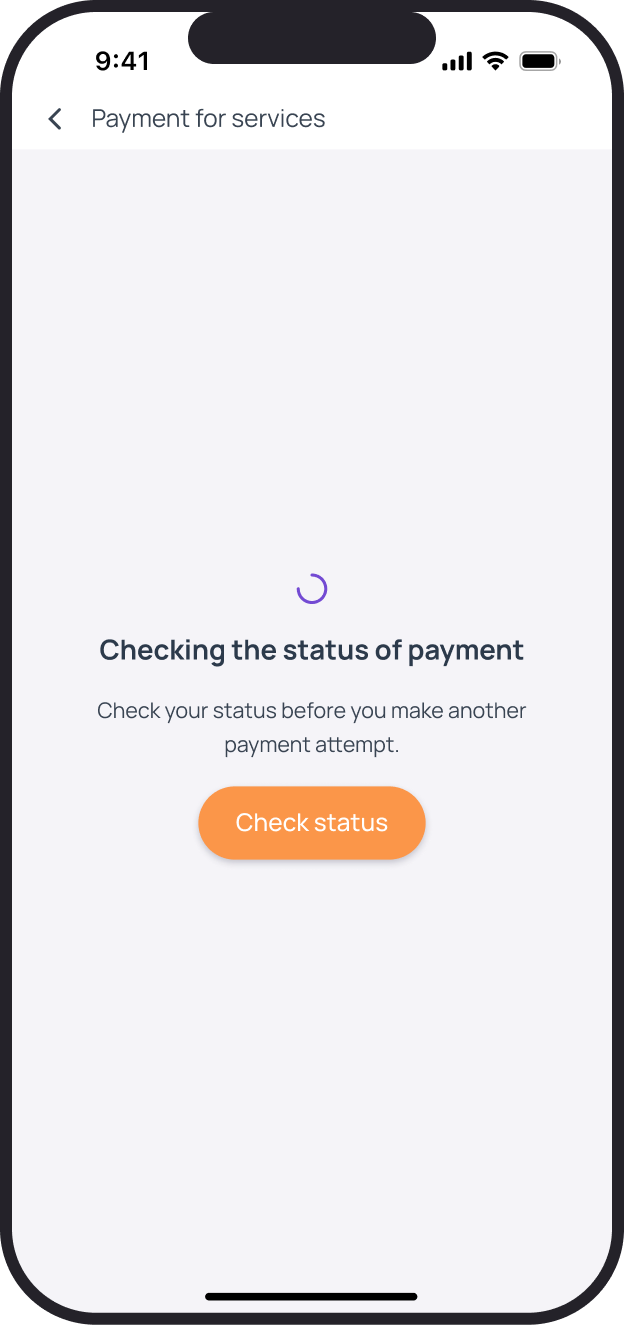
Cancellation, bank decline and a pending response have separate states. A declined payment offers another method; an unknown outcome first prompts patients to check the payment already submitted.
Preserving the conversation after an error
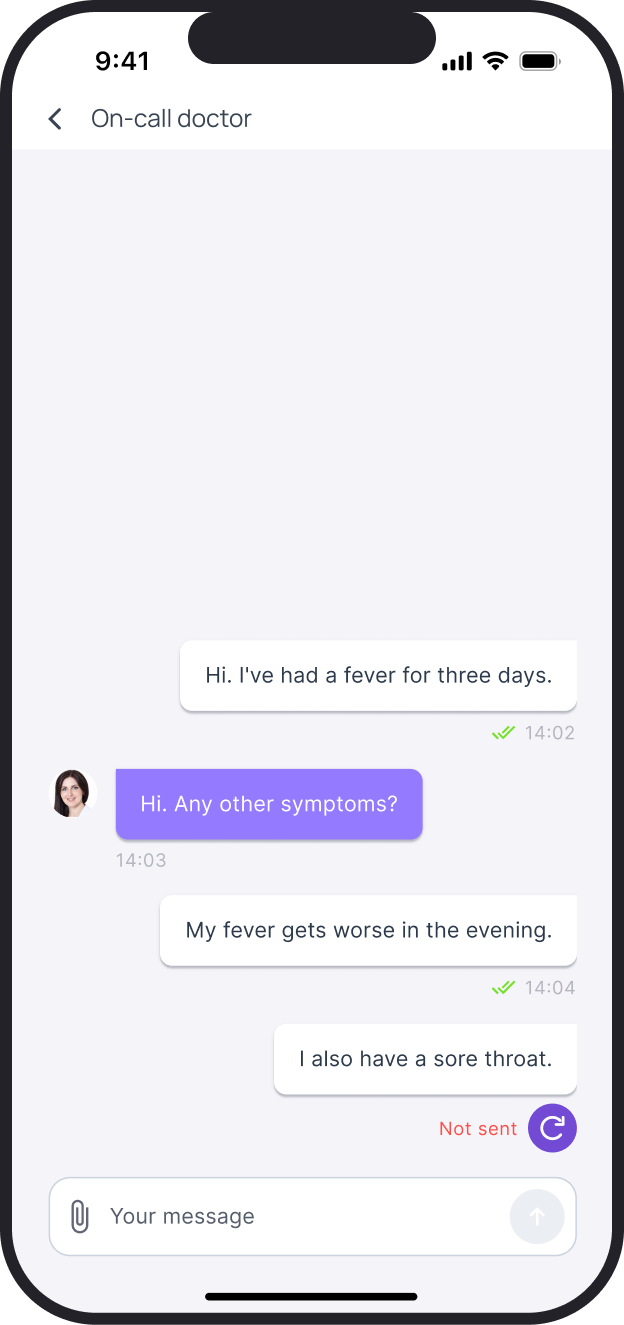
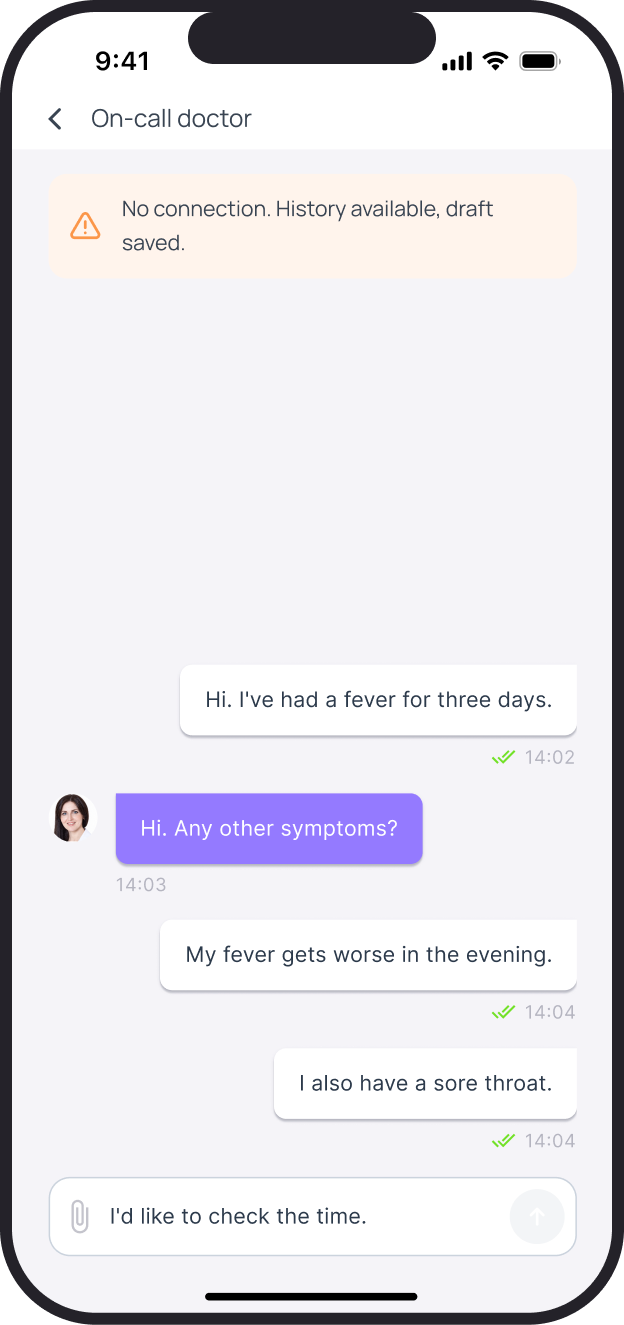
An unsent message stays in the conversation with a retry action. If the connection is lost, the history and text are preserved; the warning applies to the whole consultation.
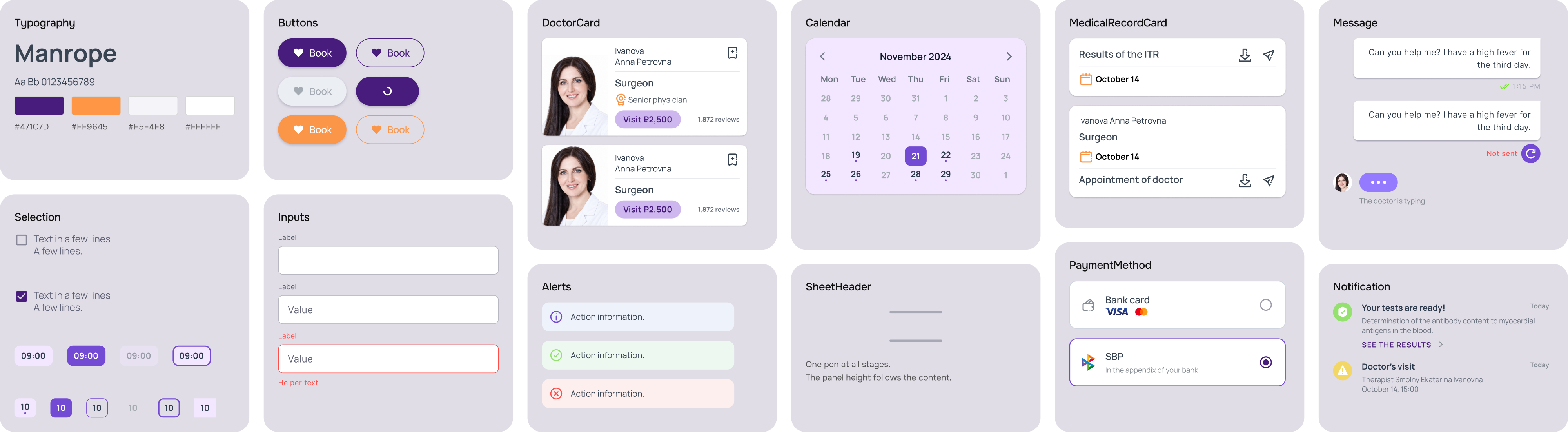
Design system
Foundation elements are separated from clinic-specific components. Variants cover selection, focus, loading, errors and unavailable states; the shared library connects these states to screens.
State illustrations
Search, documents, calendar, chat and payment share one visual system.





Search
Documents
Appointments
Chat
Payment
Declined
Connection
Have a project
for a product designer?
Send me a link to your product and a few words about what needs to change. I will review the task and suggest a suitable way to work together. Written communication works best for project discussions.