Wondervo
Travel connectivity and guidance for new users

About
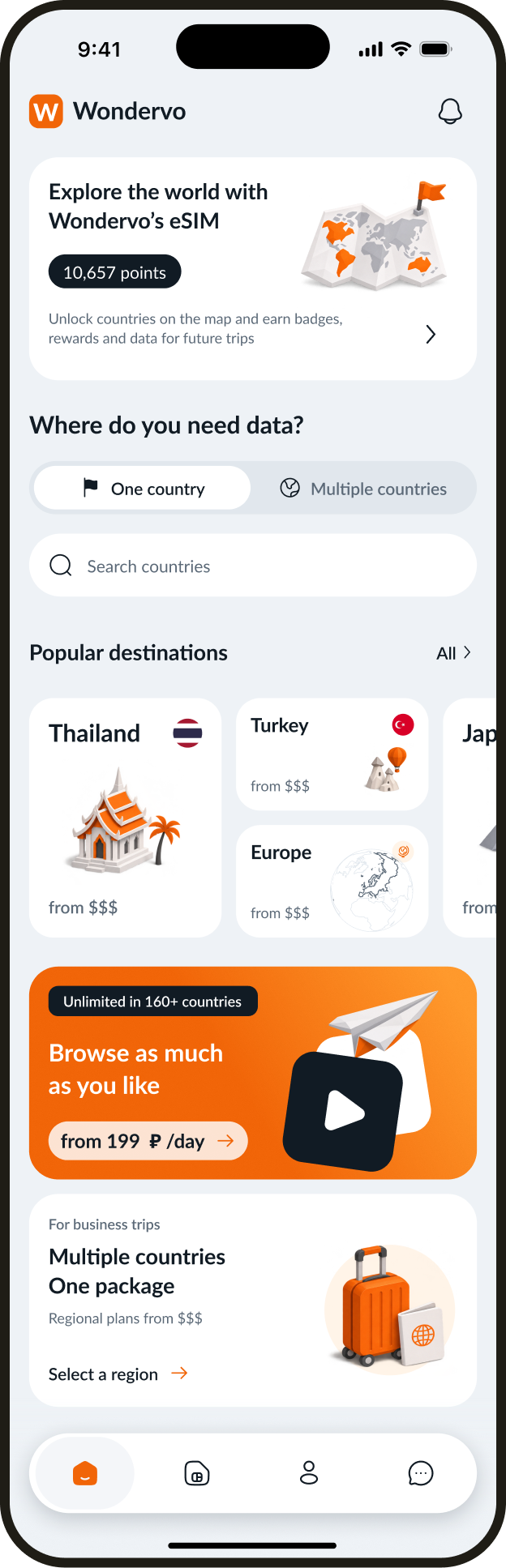
Wondervo helps travelers choose a data plan, pay through the operator, and install an eSIM. This case study covers the core flows and guidance for first-time eSIM users.
Mobile app · eSIM
- Role
- Product designer
Internet for the next trip
Travelers can choose a country and plan, pay through the operator, and install an eSIM with guidance along the way.
The challenge
Make it easy for first-time users to choose and install an eSIM. Account for operator checkout, installation, and situations that often lead to a support request.
My contribution
I designed the app, from research and prototypes through visual design and documentation.
The main journey
From the first purchase to the next trip. Install the eSIM, check the plan, and top it up without reinstalling.
- Purchase
- Install
- Use
- Top up
App interface
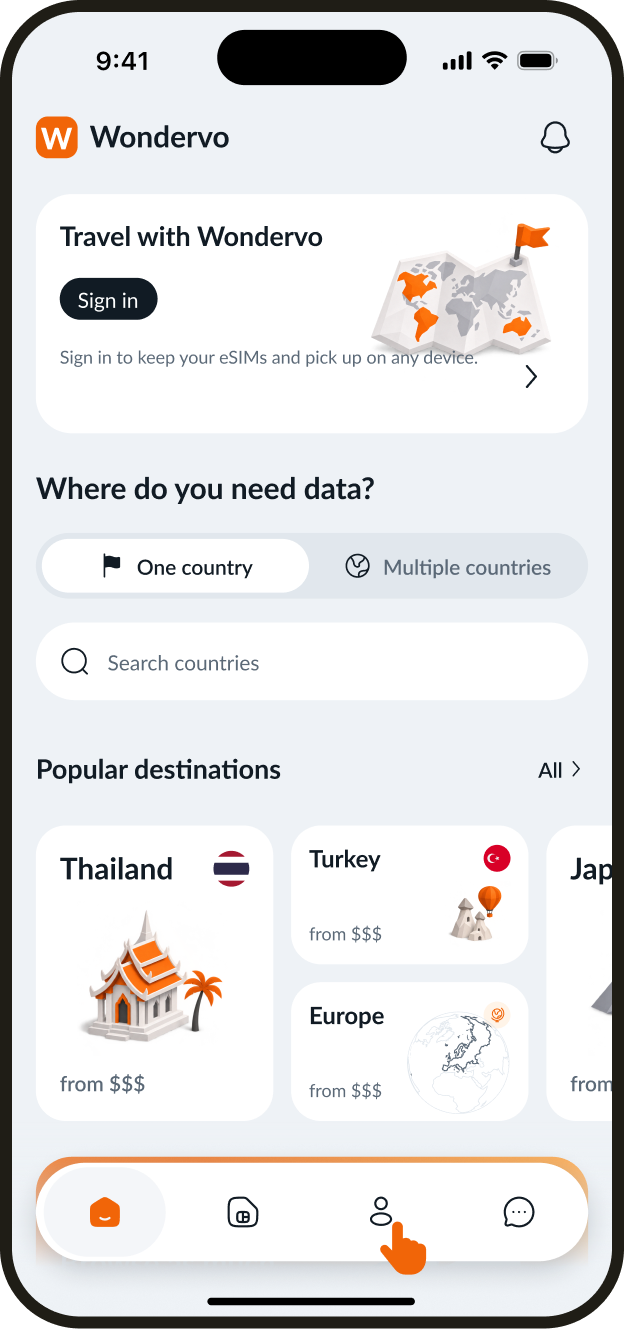
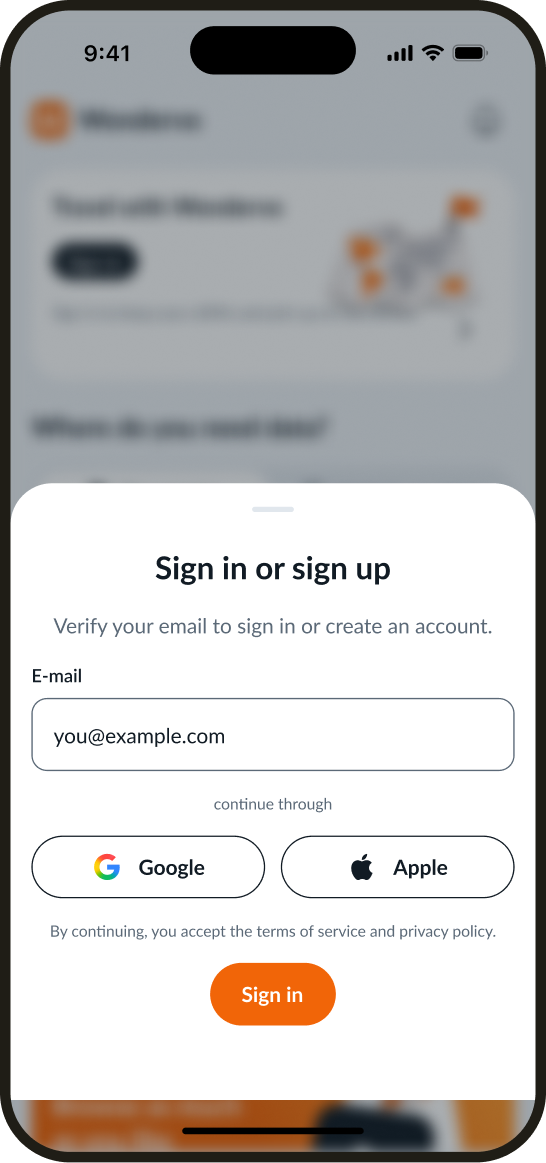
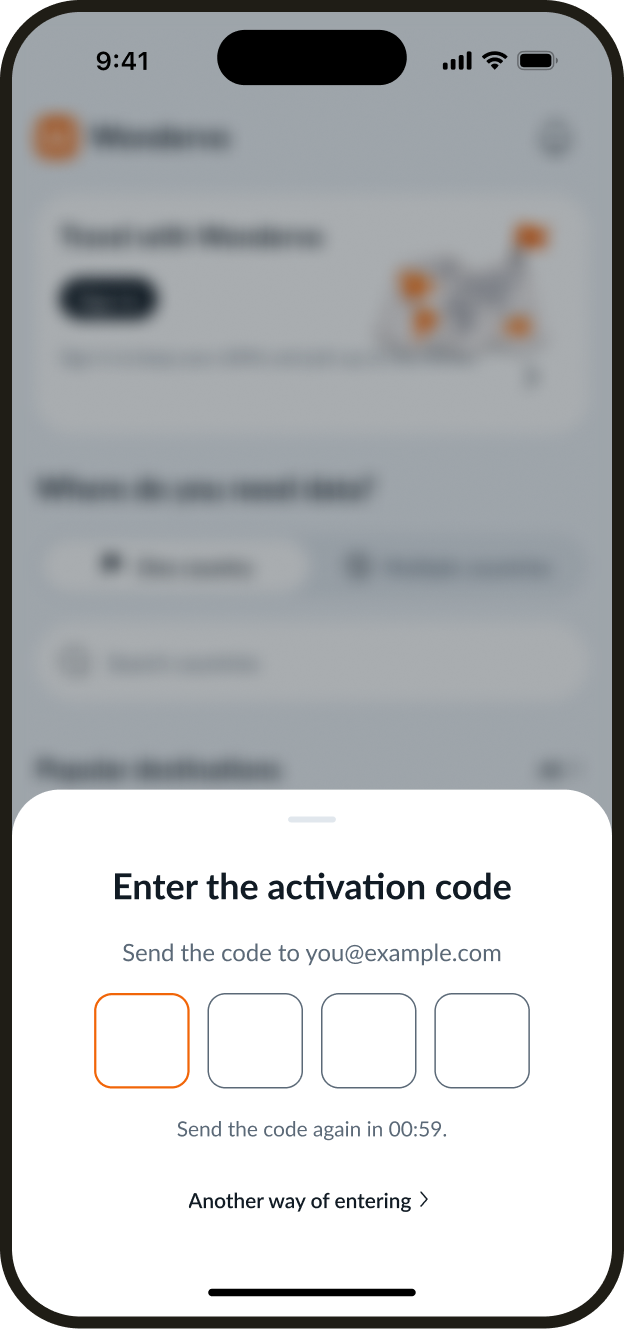
Sign-in and registration
Users can sign in with email, Google, or Apple. This example follows the journey from the catalog to email verification.
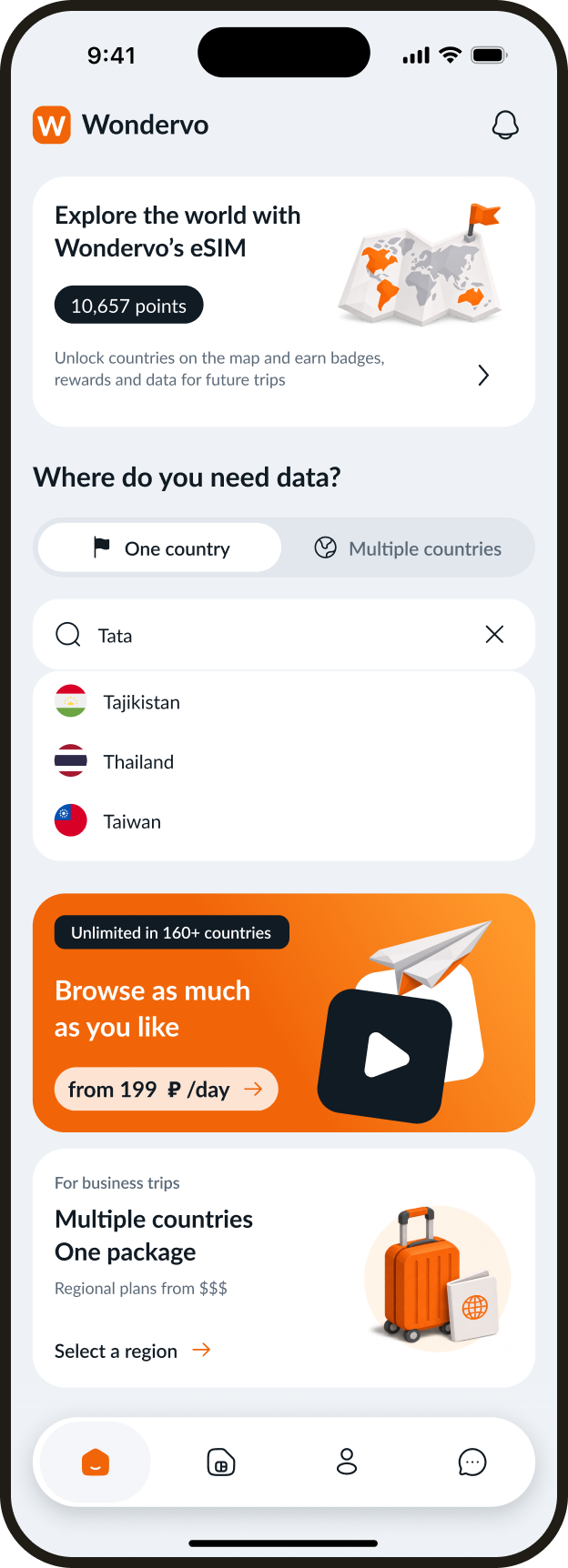
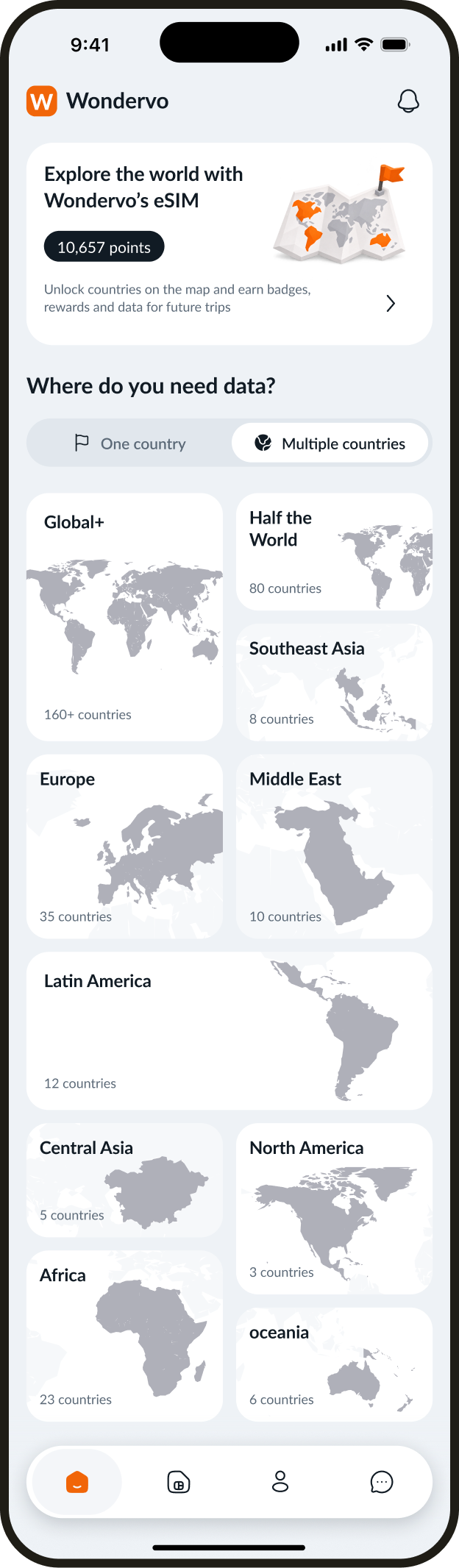
Choosing a destination
Search for a country or choose a regional plan for a trip across several countries.
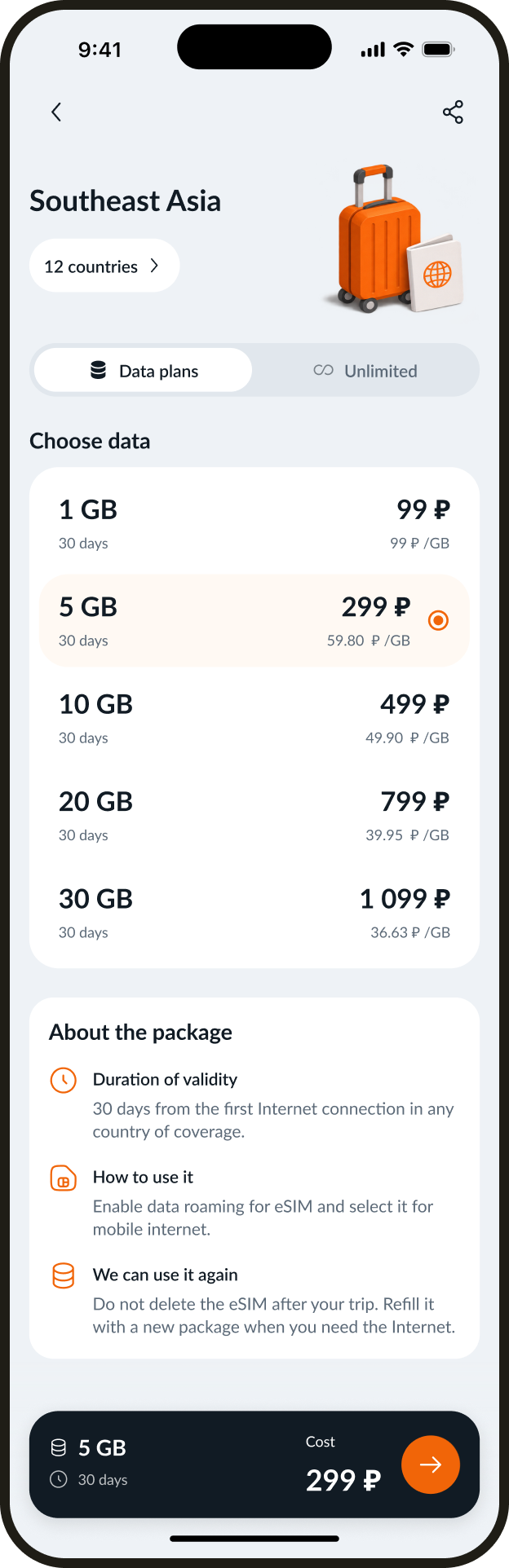
A plan for the itinerary
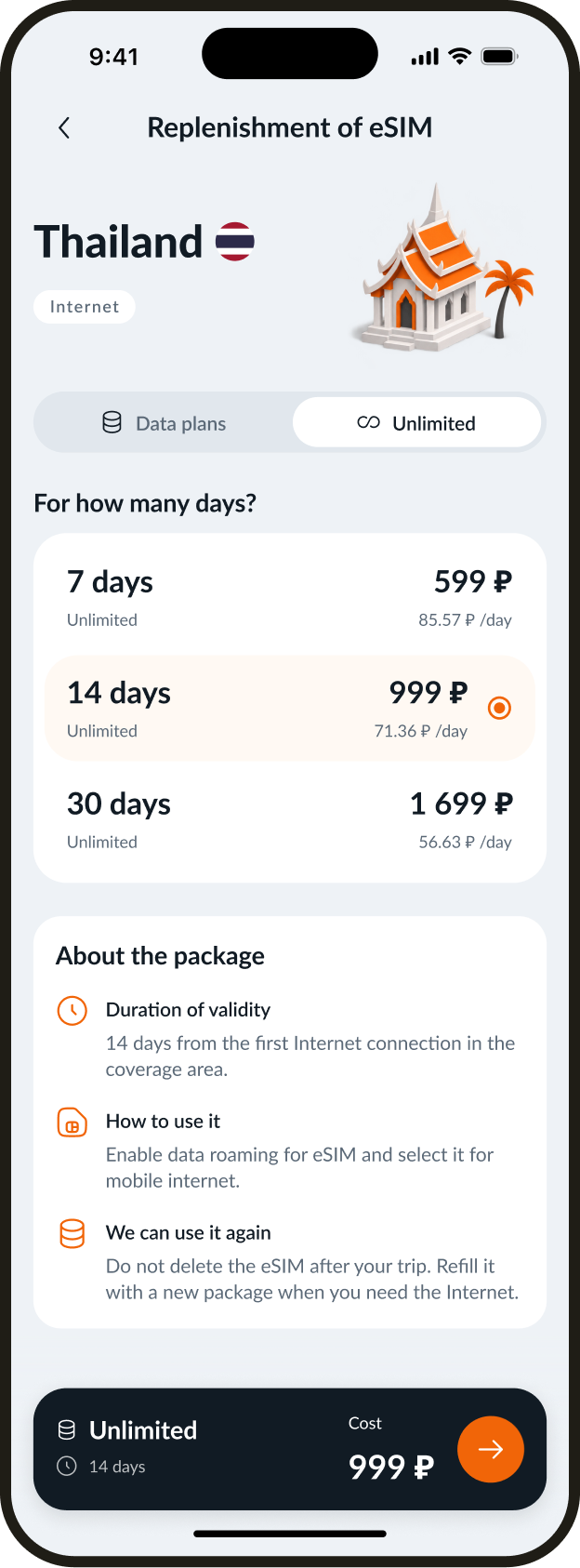
Choose a data allowance for a single destination or a regional plan with shared coverage for multiple countries. Pricing and terms are visible before checkout.
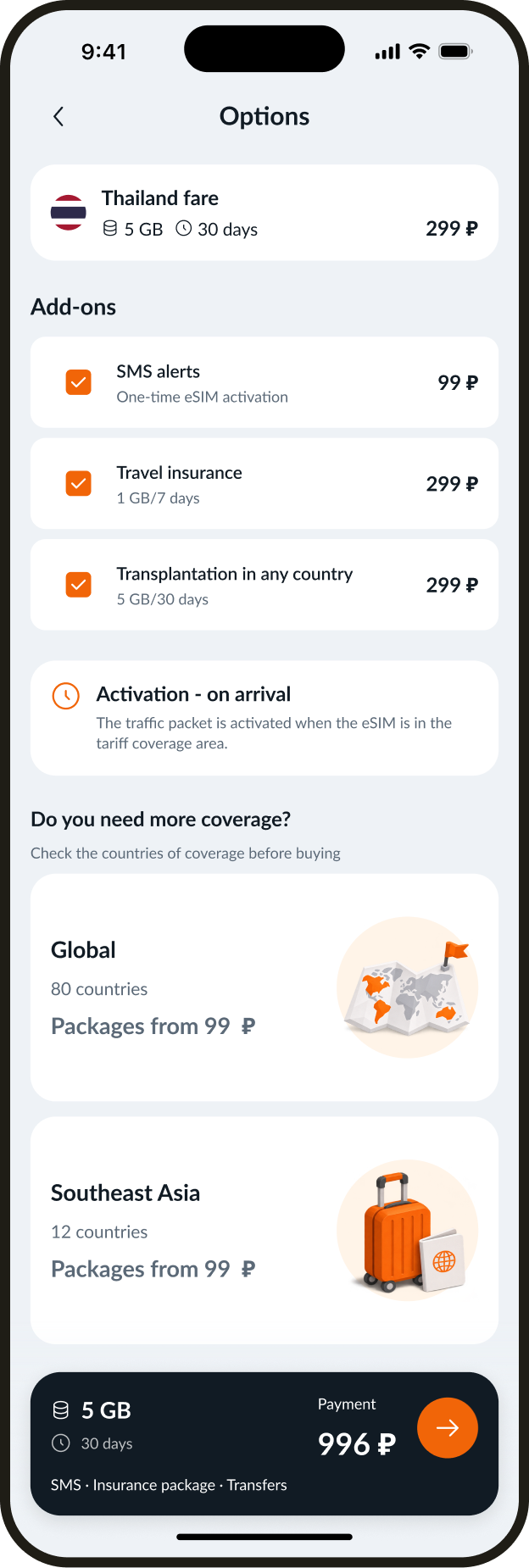
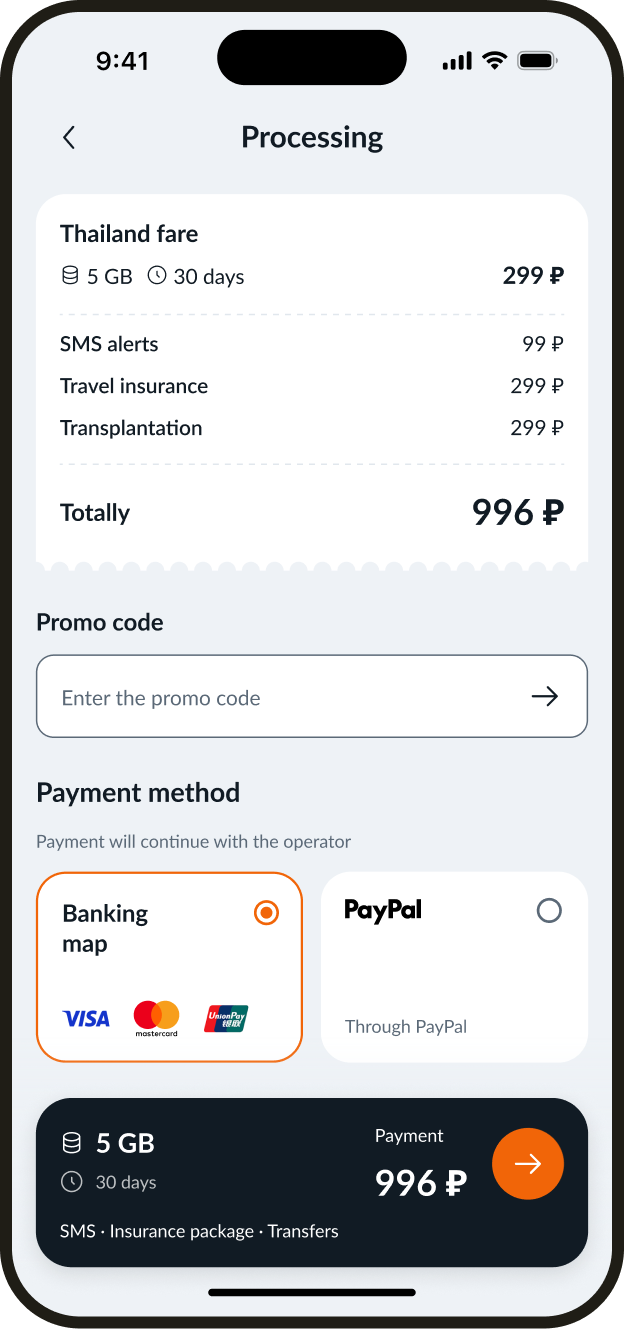
Extras and order review
The plan, extras, and total are visible before payment. The operator handles checkout. Wondervo stores no payment details.
My eSIMs and top-ups
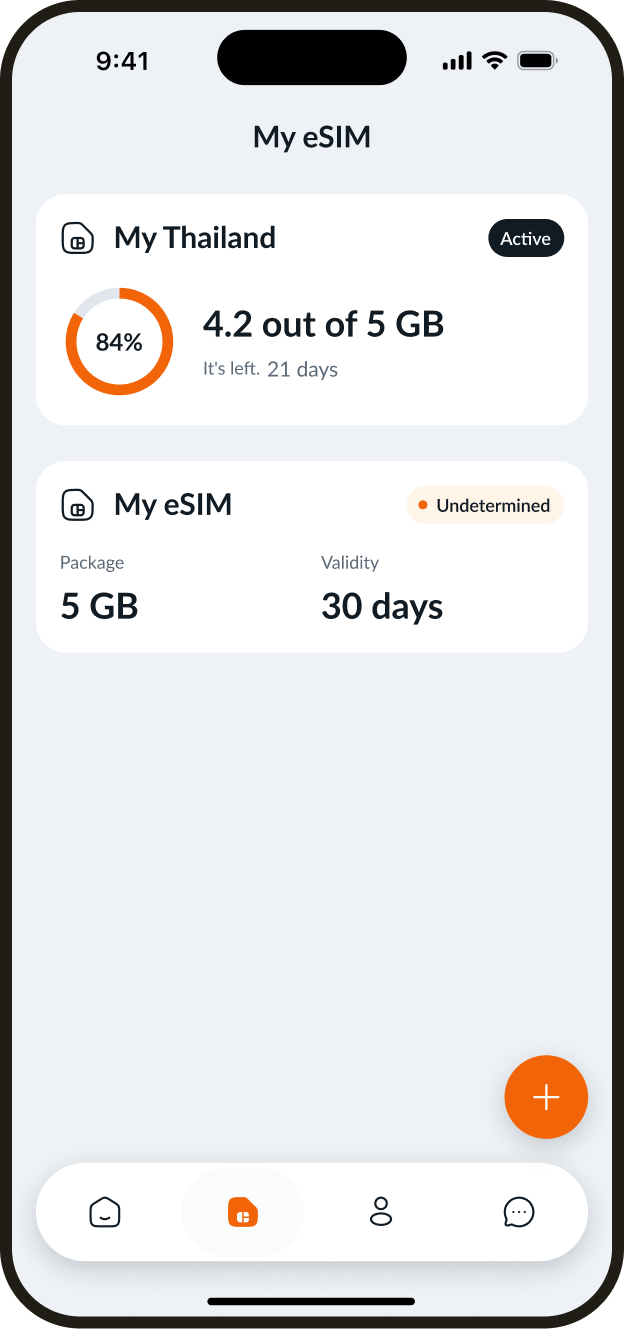
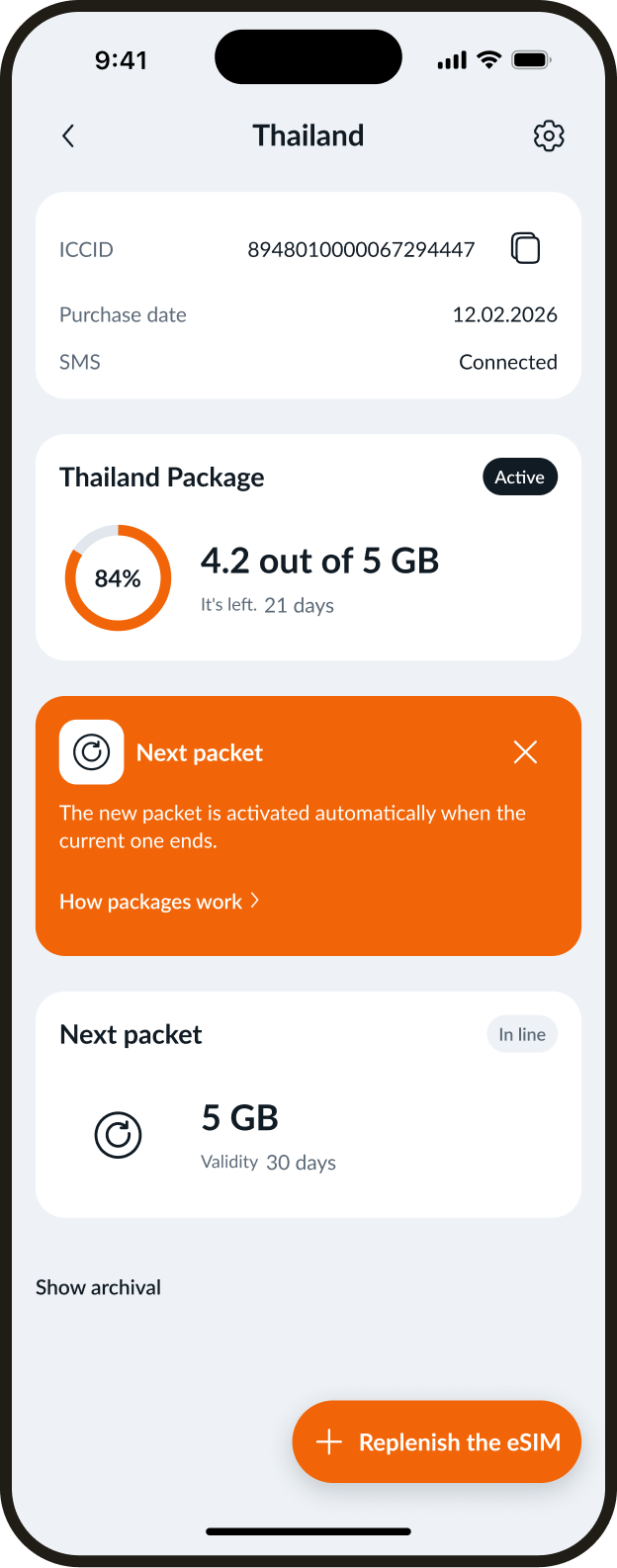
The list shows each eSIM's status, remaining data, and validity. An active eSIM can be topped up from the list. The new plan works without reinstalling.
Research and guidance
Help at the right moment
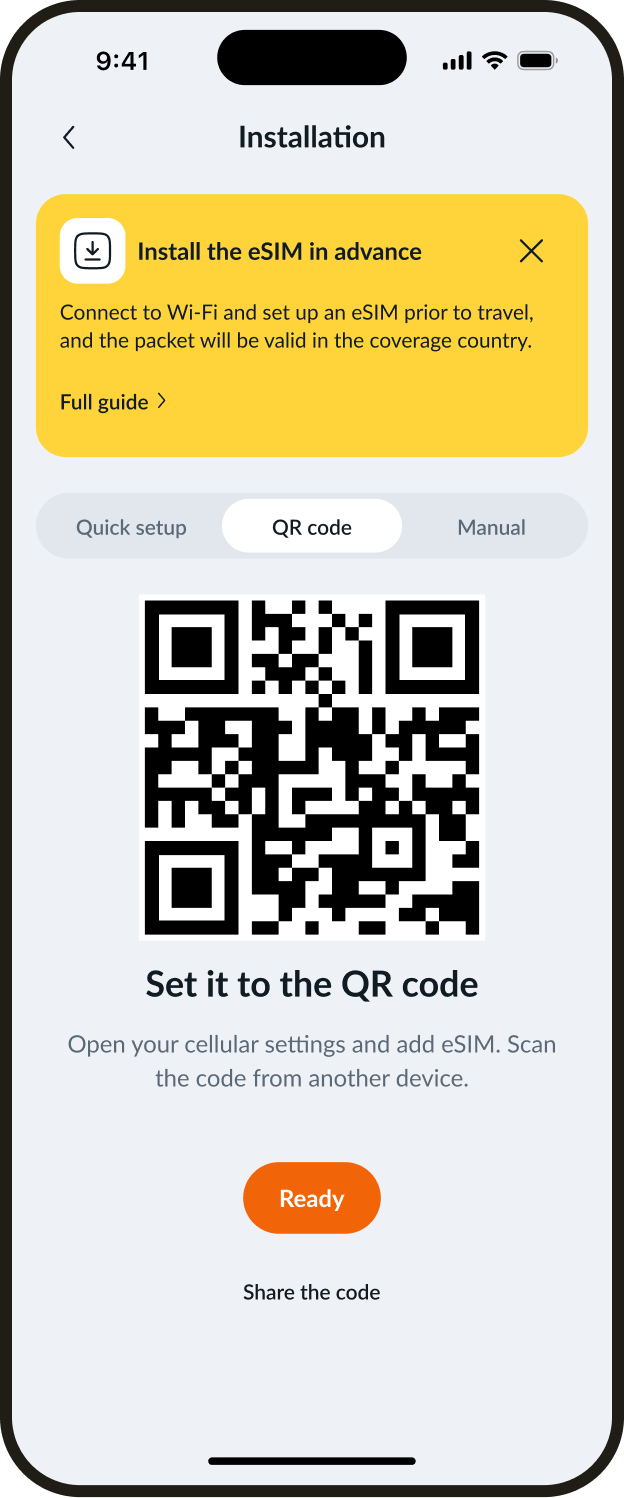
I identified frequent questions about installation, instructions, and queued plans. I added explanations and contextual help to reduce support requests and refunds caused by setup difficulties.
Common topics · share of support requests
- Installation and activation
- 20%
- Instructions and QR codes
- 19%
- Plans and queue
- 12%
Designing for different states
Flows and recovery
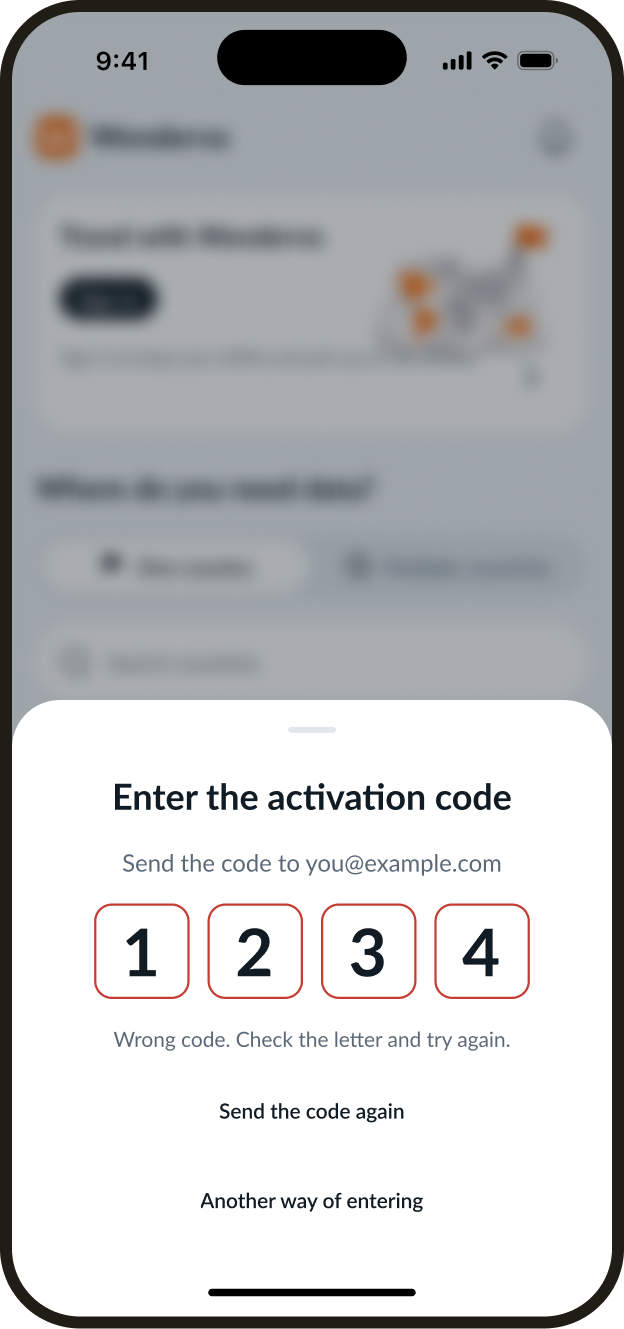
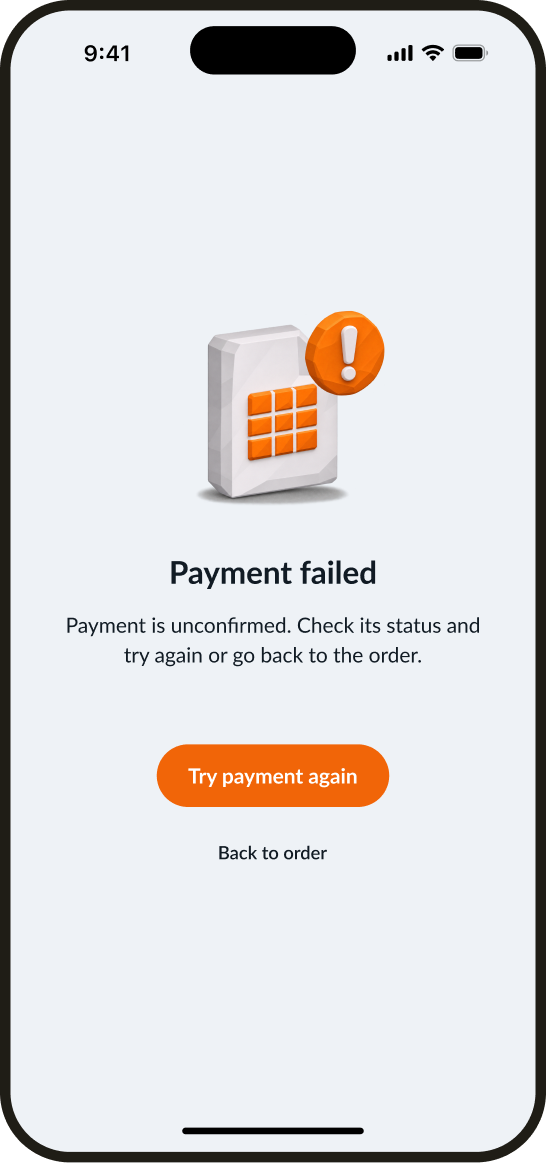
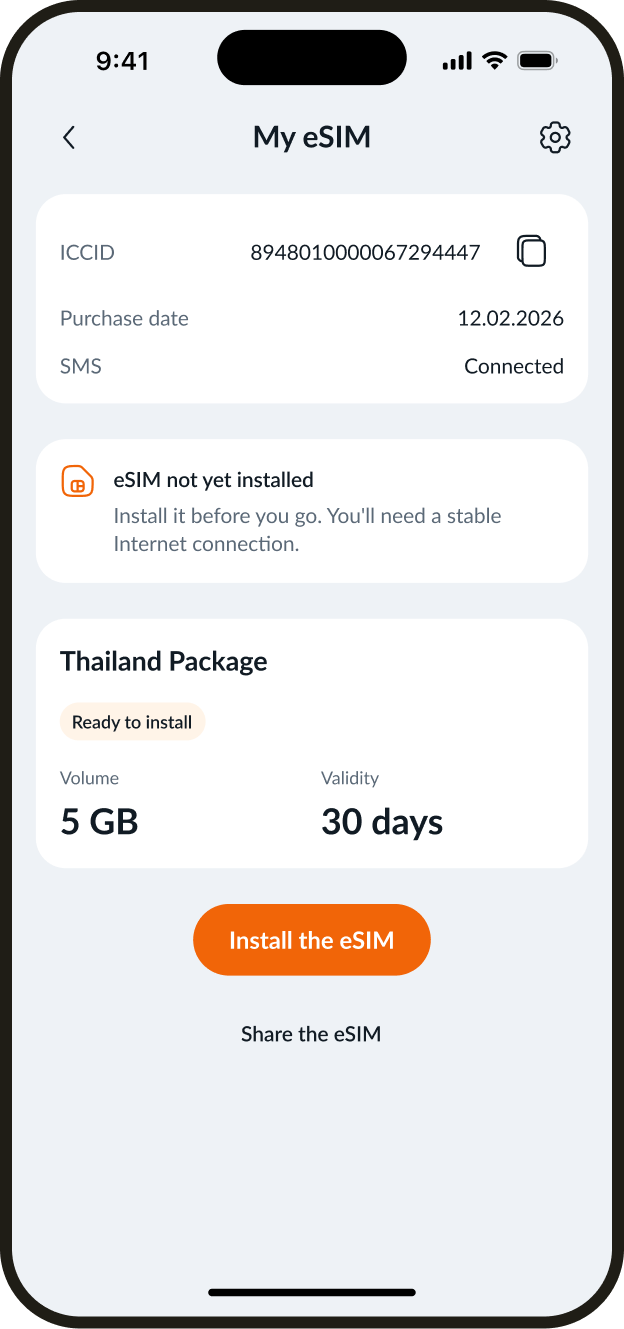
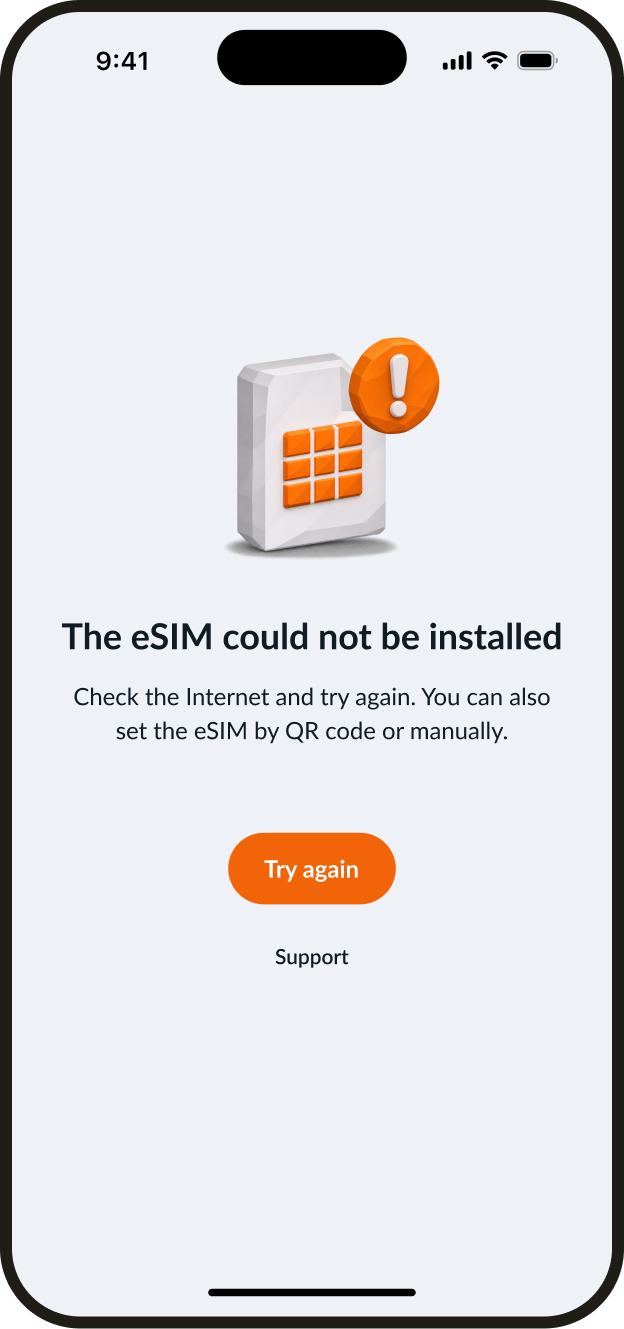
Users can correct a code, retry payment, or go back to the order. If eSIM setup is pending or interrupted, the app shows how to continue.
Design system
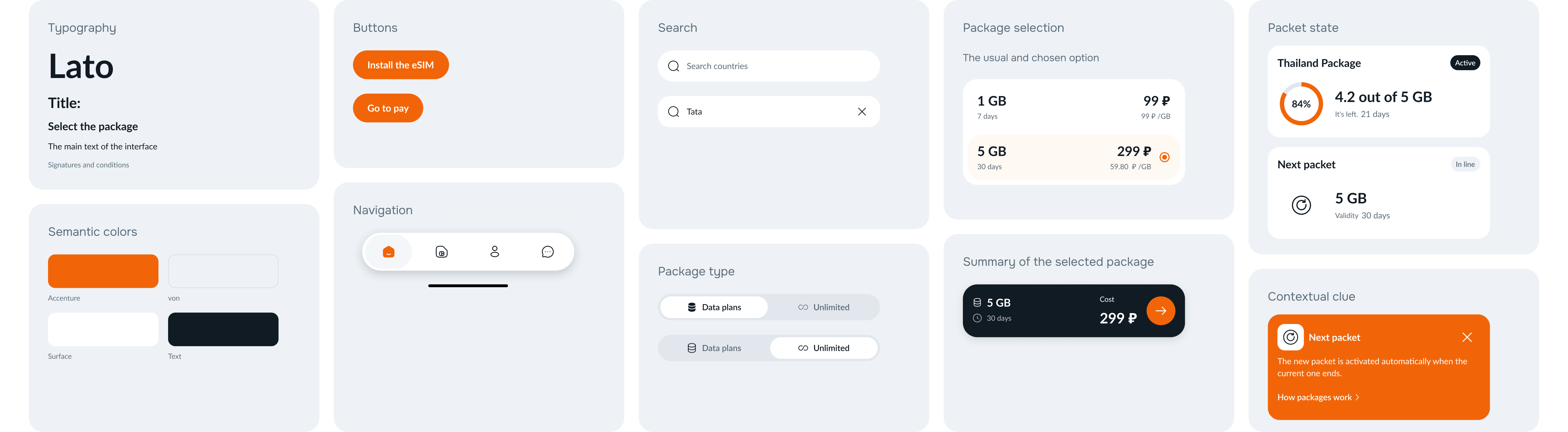
All 42 screens share a library of Lato typography, inputs, buttons, navigation, and states. New flows use the same components.
Have a project
for a product designer?
Send me a link to your product and a few words about what needs to change. I will review the task and suggest a suitable way to work together. Written communication works best for project discussions.